Creating a Shopify store is a great way to get started in the world of e-commerce. In this guide, we will walk you through the process of setting up a free Shopify store in just a few simple steps.
Anyone can begin selling online through Shopify, whether they’re young entrepreneurs, stay-at-home parents, or retirees looking to generate additional income. As the top platform for establishing and managing an online store, Shopify boasts over a million active users who utilize it to sell their products and services.
The platform offers a straightforward yet highly attractive solution for small and medium-sized businesses. With a monthly subscription fee, you can design, launch, and operate a thriving e-commerce store.
To get started, simply create a Shopify account and input your business information. From there, you can add products and tailor your online store to suit your preferences.
Create a free Shopify trial and start selling for just $1 for three months
Step 1: Sign up for a Shopify Account
The first step in creating your Free Shopify store is to sign up for a Shopify account. Simply head to the Shopify website and click on the Get Started button. You will be prompted to enter your email address, password, and store name. Once you have filled out all the necessary information, click on Create Your Store to get started.
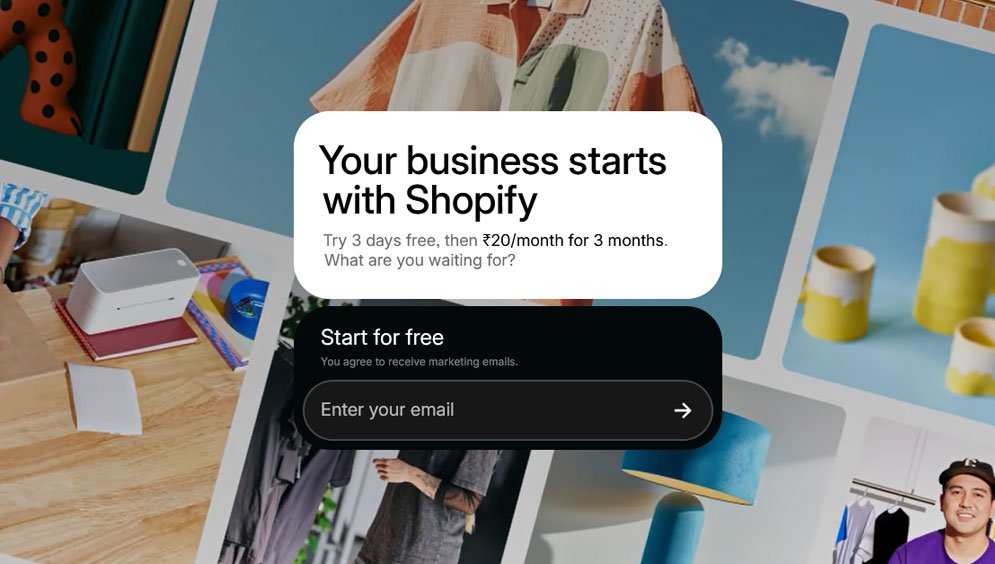
Creating an account on Shopify is easy and you can start your free trial with no credit card required.
Step 2: Choose a theme and customize your store
After creating your account, the next step is to select a theme for your store. Shopify provides an extensive selection of both free and Paid themes, with prices typically ranging from $200 to $400. Many users prefer to choose theme from ThemeForest, where themes generally fall within the merchant budget of $29 to $100. Free themes offer essential design features, while premium themes provide advanced settings, enhanced design capabilities, and superior support. Merchants should consider theme ratings and the reliability of authors when making their choice. Take some time to explore the available options and find a theme that aligns with your brand identity.

Once you’ve selected a theme, you can begin customizing it to fit your specific needs. All themes come with support resources that you can utilize for any questions that arise during the setup process.
Step 3: Add products to your store
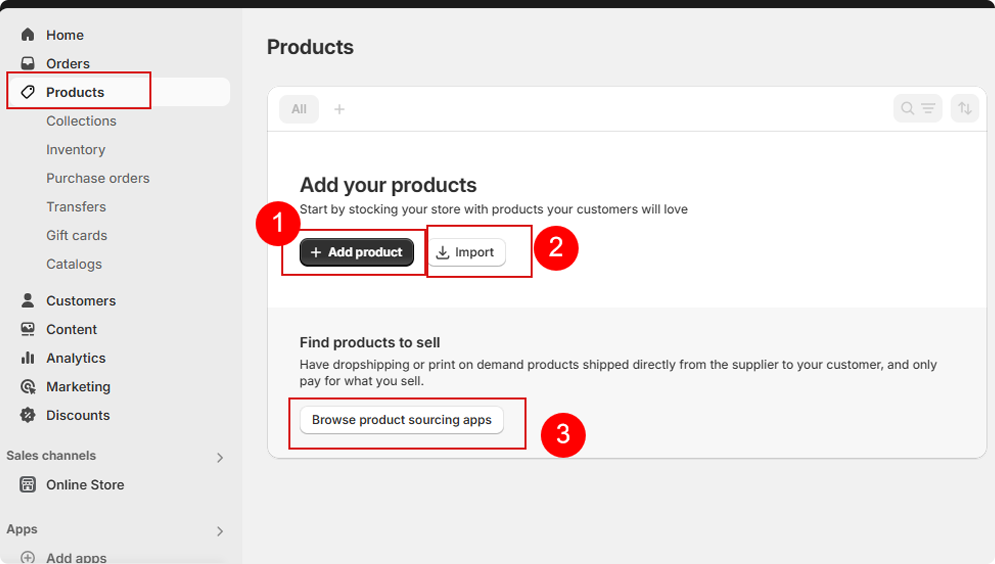
Now that you have your store set up and looking great, it’s time to start adding products. Simply click on the Products tab in your Shopify dashboard and then click on Add product. You can then fill out all the necessary information for each product, including the title, description, price, and images.
OR
You can import products in bulk using a CSV file, click the Import button located in the top right corner. This function is particularly useful if you have products from another platform that you wish to transfer to Shopify, as well as for making bulk edits to your existing products.
Step 4: Set Up Your Payment Options
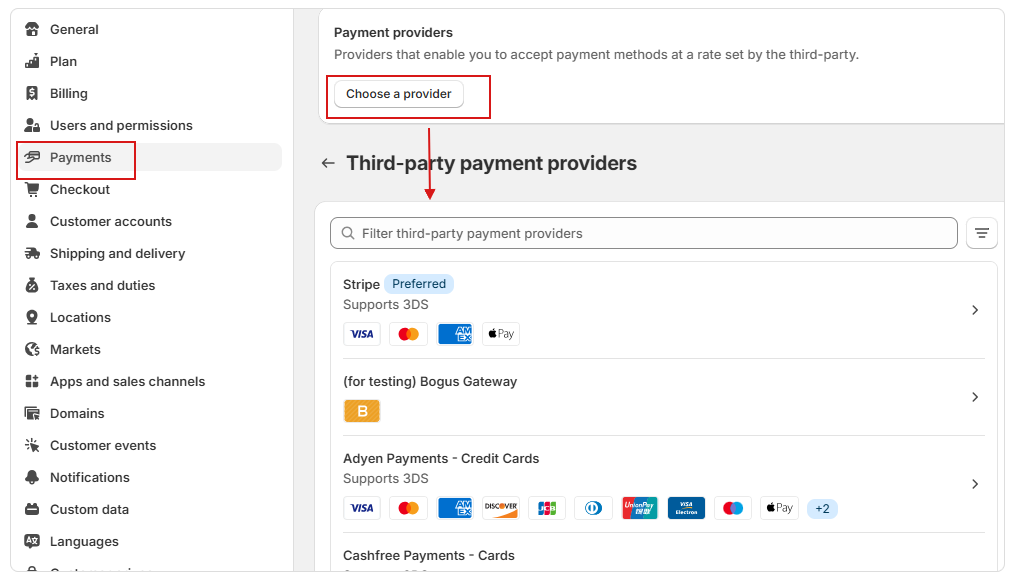
In order to start selling products through your Shopify store, you will need to set up a payment gateway. Shopify offers a variety of payment options, including PayPal, Stripe, and Shopify Payments. Simply choose the one that works best for you and follow the instructions to set it up. Make sure to test the checkout process to ensure everything is working smoothly.
Step 5: Launch Your Store
Once you have added products and set up payment and shipping options, you are ready to launch your store. Click on the “Online Store” tab in the Shopify dashboard and then select “Preferences.” Here, you can set your store to “Online” and your store will be live for customers to visit. You have now created your Free Shopify store and are ready to start selling products online.
In conclusion, creating a Free Shopify store is a simple and cost-effective way to start selling products online. By following the steps outlined in this blog post, you can have your store up and running in no time.
So what are you waiting for? Get started today and watch your online business thrive!
Also you should not miss to read this well write article by shopify for all shopify beginers.
If you don’t want to spend your time installing the theme and store set up, Feel free to contact for our paid store setup serivce. You can send an email direct on info@adornthemes.com. We will reach out to you very soon.