Step 1 :
From your store admin –> Click Settings –> Metafields and metaobjects –> Click Products
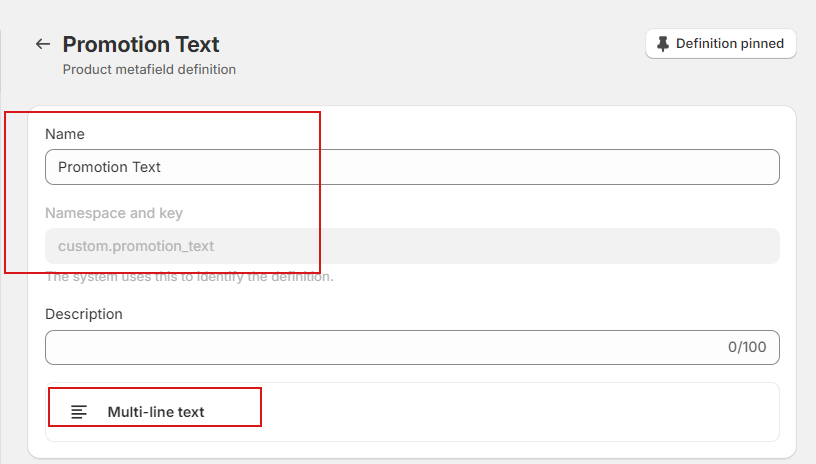
Click on “Add definition” and add data as below
Name: Promotion Text
Namespace and Key: custom.promotion_text (must)
Content type:Text ( Select Multi-line text )
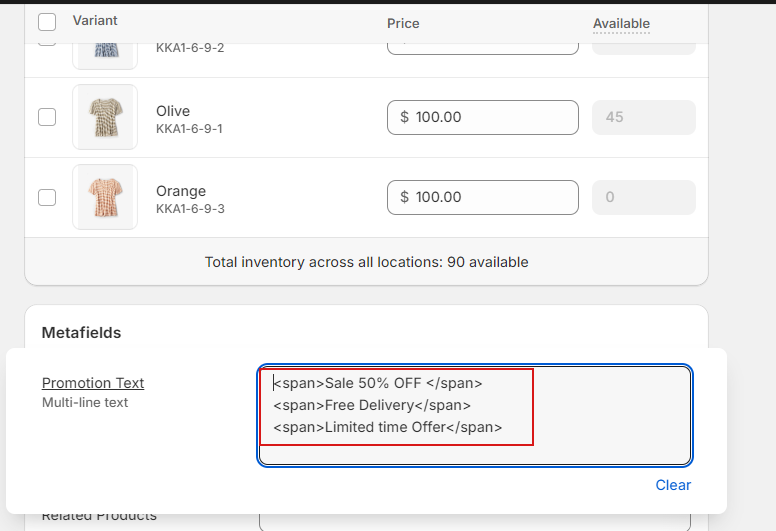
Step 2: Now go to your products and Scroll down to “Metafields” and find Promotion Text
Add each text line with span tags as shown below and click save.
Step 3 : Go to theme customize -> Theme Settings -> Products Grid -> Enable Show Promotion Text?