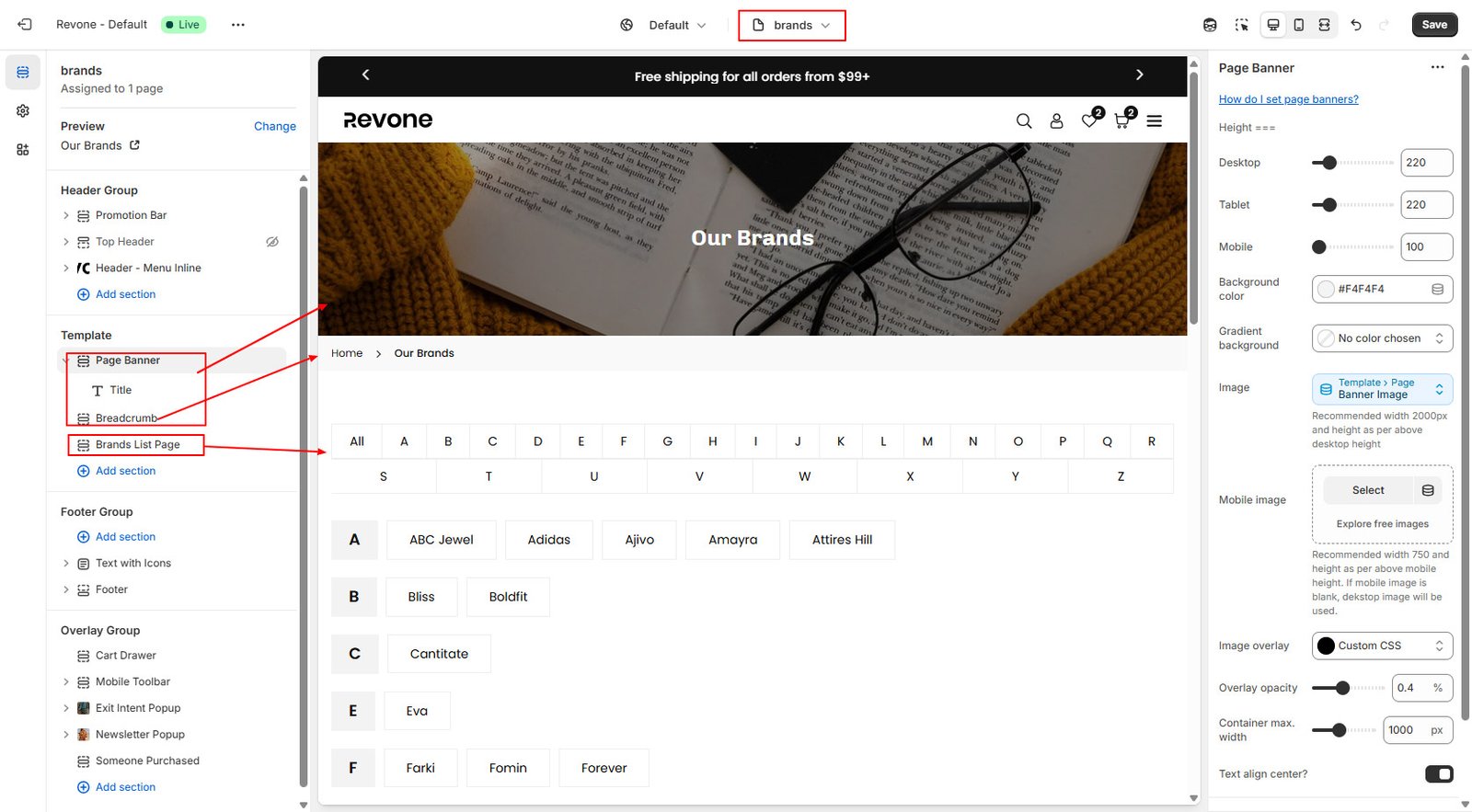
Brand page is an effective way to showcase store brands on a single page. Your customers can quickly find a brand they like the most. Brands page use alphabet layout to sort your store product vendor when your store has a large number of manufacturers.
Template always show from your current theme( Live Theme). Theme must be published to select our theme template
Step 1 :
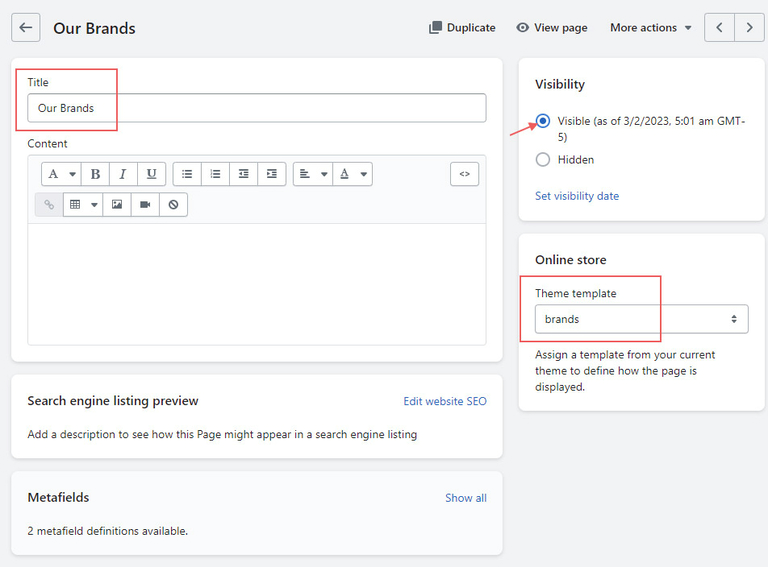
- From your store admin, go to Online Store -> Pages -> Click Add page
- Enter page title then select brands template.
- Click Save.
Step 2 :
Configure brand page from theme editor.
- In the theme editor, Select Pages -> brands from top dropdown menu.
- You can add more sections on this page.
- Make necessary change and click Save