An FAQ page is an essential component of any online retail store, as it provides clear answers to the most frequently asked questions by customers, serving as a valuable resource throughout the entire customer journey.
ℹ️ Template always show from your current theme( Live Theme). Theme must be published to select our theme template
Step 1 :
- From your store admin, go to Online Store -> Pages -> Click Add page
- Enter page title then select faqs template.
- Click Save.
Step 2 :
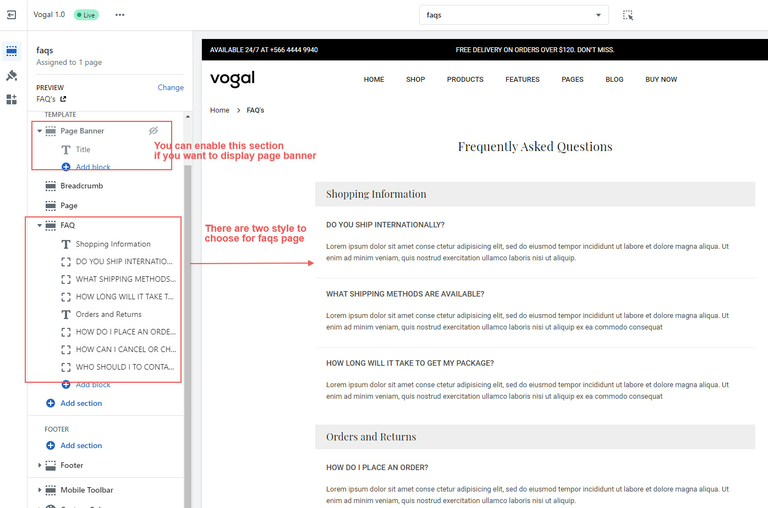
Configure FAQs us page from theme editor.
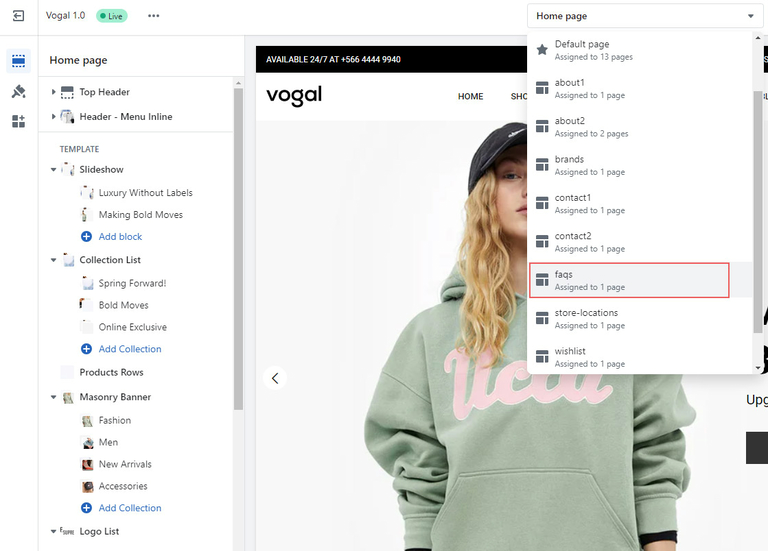
- In the theme editor, Select Pages -> faqs from top dropdown menu.
- You can see different sections on this page including page banner,
- Click on sections to edit.
- Make necessary change and click Save