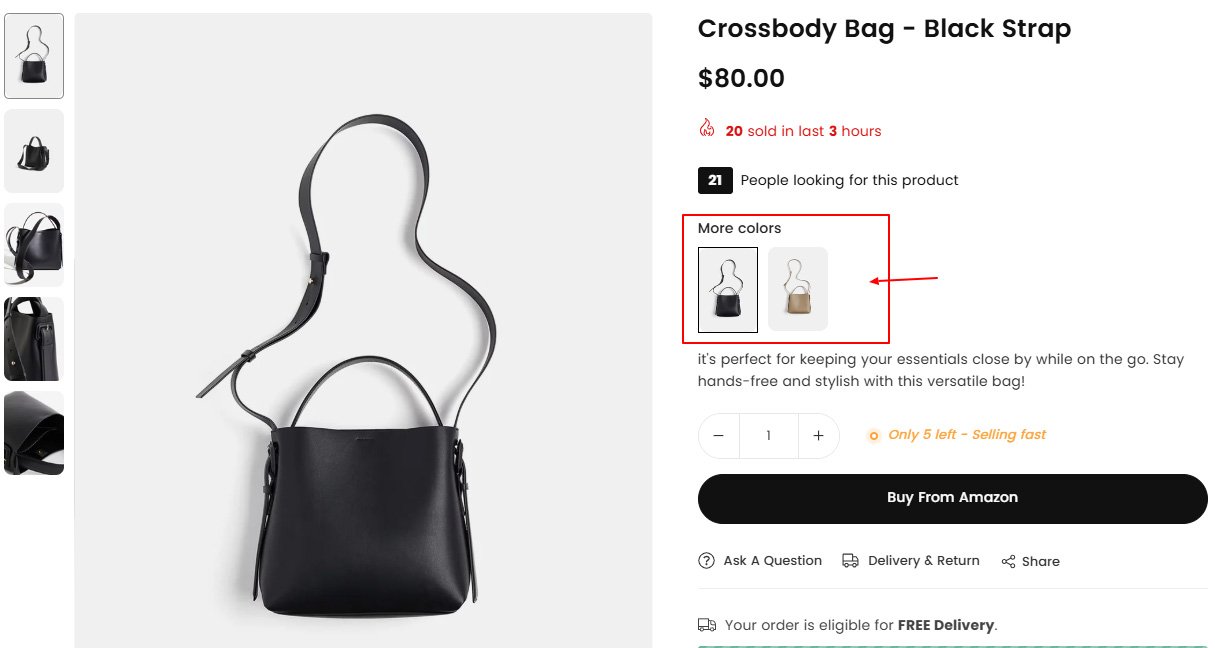
When customers are on product page, they see more colors or more style available below product title, they can click on option to see that product.
Step 1:
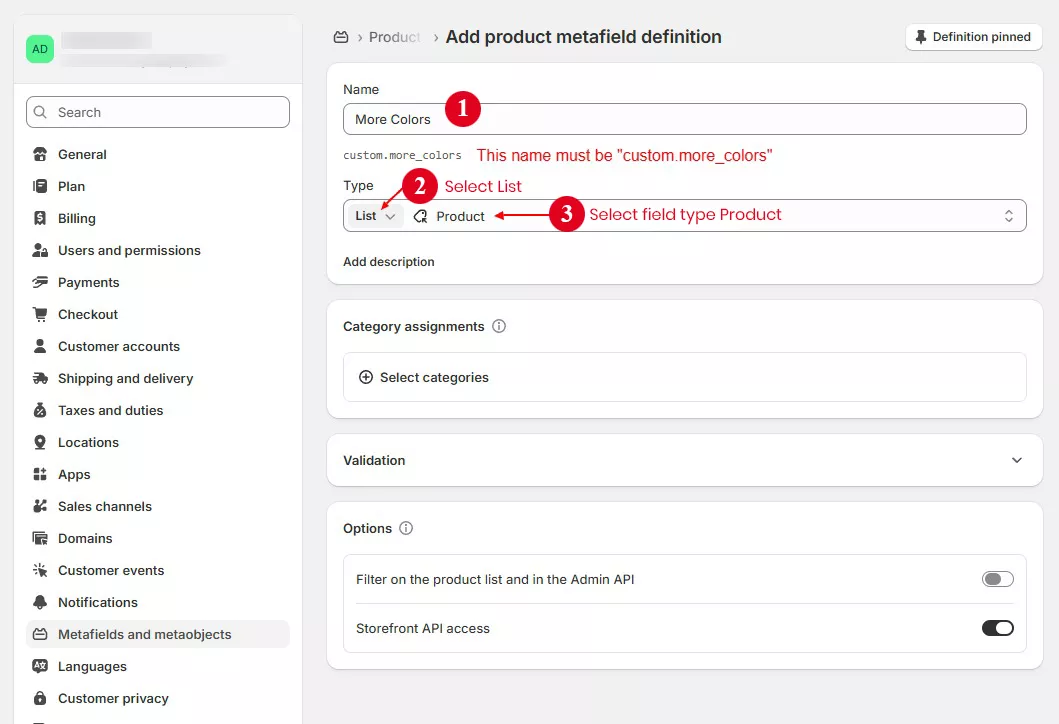
From shopify store admin > Settings > Metafields and metaobjects > Products > Add Definition
Create a metafields as shown in the image below. Make sure name space and key name must be “custom.more_colors”
Step 2 :
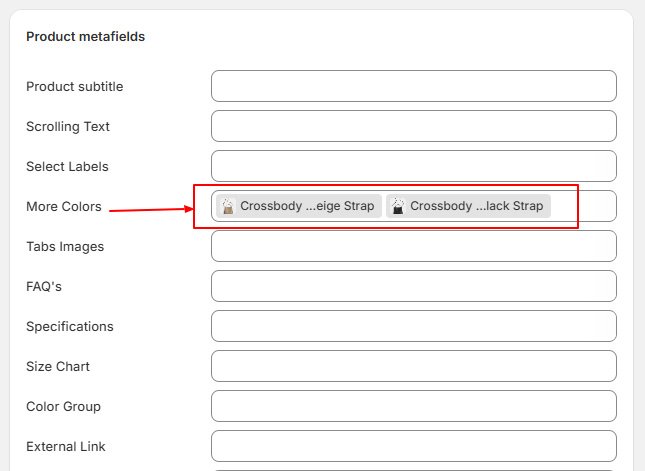
1) Now go to product page on store admin and select related products
2) Scroll down to the "Product metafields" section
3) Click on “More Colors” field and select products
Step 3 :
1) Open product page in theme editor and go to product page section
2) Add "More color" block using add block button and save page.
Adjust style from block and click save. Now you can view product from store front.