The sections within the Overlay group can be accessed from every page. Overlay group’s sections appears as a popup on your store.
✅ Steps :
- In the theme editor, Home Page Scroll down to -> Overlay Group
- Click on to sections to customize style
- Click on blocks within section to edit text
- Mouse hover within sections to add more blocks and click save
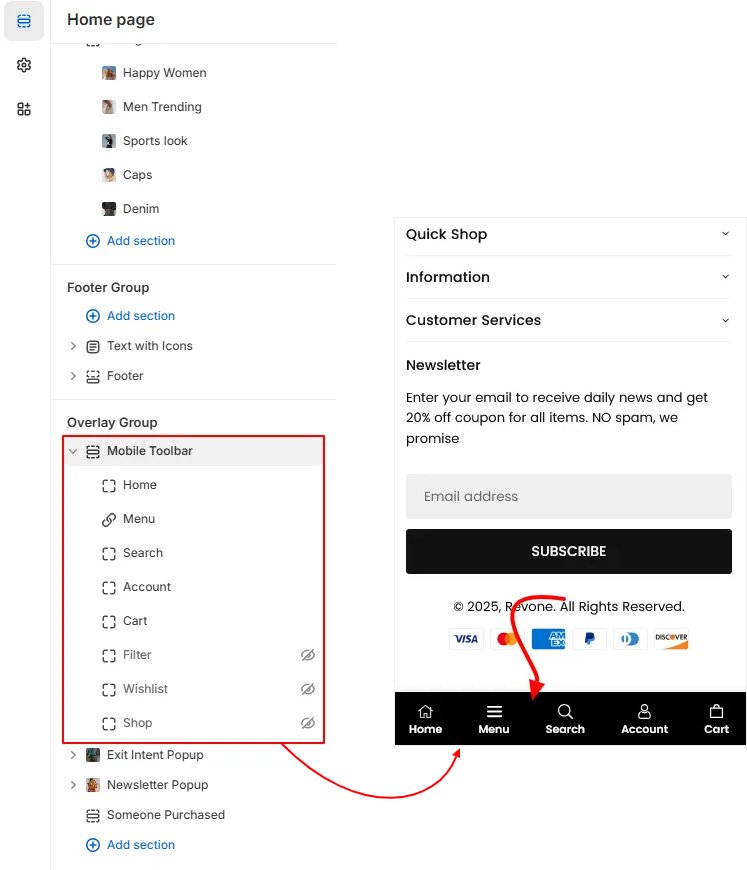
Mobile Toolbar #
Display icons menu on mobile view at the bottom of the store.
Exit Intent Popup #
This popup will display when the visitor try to leave your store with the purpose of convincing them not to leave.

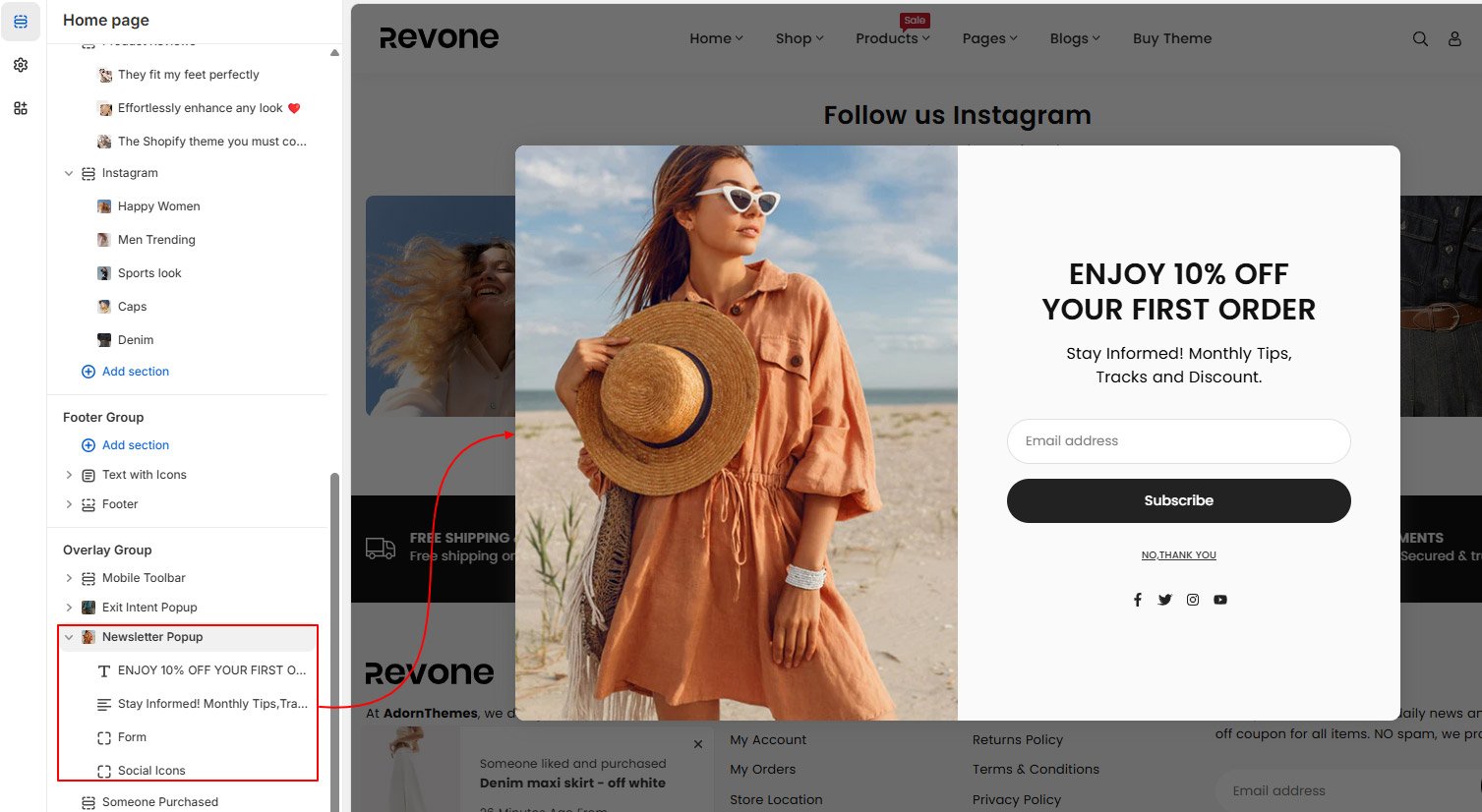
Newsletter Popup #
Show a newsletter popup on your store to allow users to subscribe for updates. Shopify automatically displays this newsletter popup by default.
Someone Purchased #
Display fake recent sales popups to increase your product sales. Popup help in increasing the sales of your store by displaying notifications to your store visitors and encouraging them to buy more.
