On the main collection page on top, right after the banner, you can display sub collection list. You can display the same or different sub collections for each collection page.

✅ Steps:
- In the theme editor, Choose Default Collection from top dropdown menu.
- Click on Sub Collections Section,
- Follow the steps given steps, Make changes and click Save
You have the option to showcase same collections for each main collection or to present distinct collections for each main collection.
To display same collection for each main collections, you simply need to select collections from section as shown below.
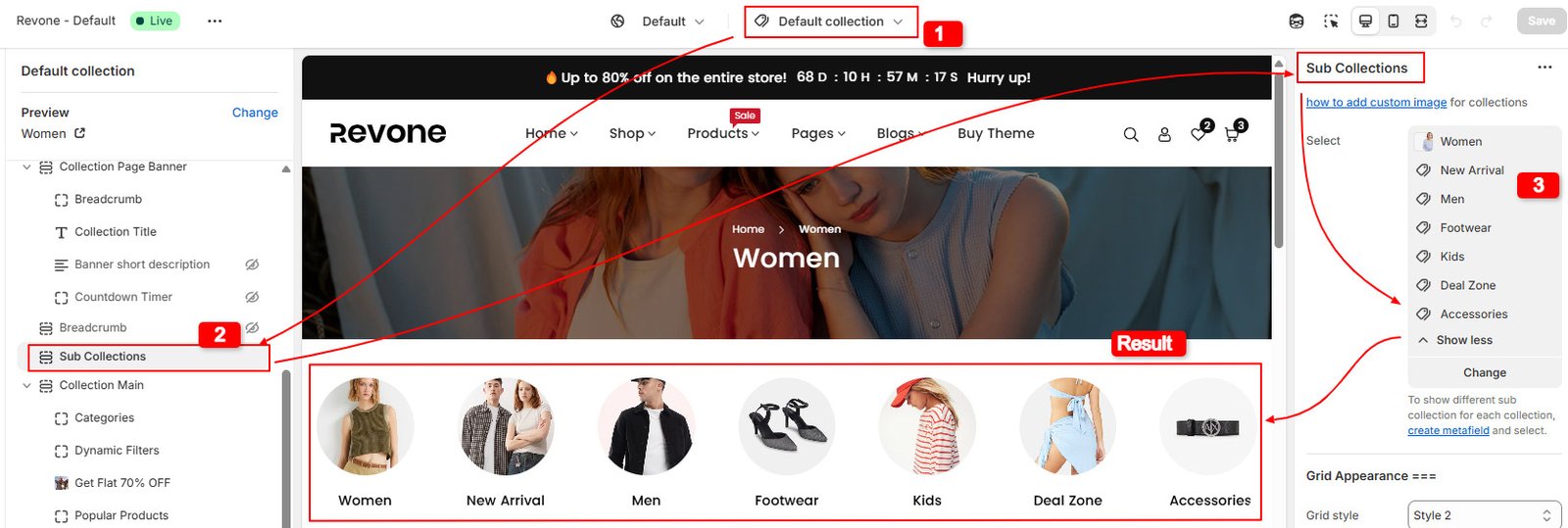
To display distinct collection for each main collections, Go through this article and follow given steps.
Block and Section Settings