Customize the fonts, font sizes, and colors for the body text, headings, buttons, page title and various other theme components in the typography settings.
In the theme editor, click Theme Settings -> Typography & Colors
Fonts :
Choose to display fonts from Shopify or Google.
Shopify Fonts :
Begin by selecting Shopify as your font source. Within the Shopify font library, you can pick up to three font families; however, it is recommended to select one or two. This will help improve site loading times. Changing the fonts you choose can result in slower performance for your store. Read more.
Google Fonts :
Begin by selecting Google as your font source. Within the Google Font Library, you can opt for a maximum of three font families, although it is recommended to select only one or two to optimize site loading speed. Changing the fonts can lead to a decrease in your store’s performance. You can find the list of Google font names here.
Body Text:
Choose the font family, adjust the font size, set the line height (the space between two lines of text), modify the letter spacing (the space between letters), and select a color. By default, body text is utilized for various elements and sections of the theme.
Headings :
Heading settings will be implemented across all headings in your store.
Choose a font family for the headings and specify the font size, font weight, line height (the space between two lines of text), letter spacing (the space between characters), and color.
Breadcrumb :
Adjust the font size, text color, and background color for the breadcrumbs displayed at the top of each page.

Buttons :
A total of eight button styles are available for use throughout the layout.
Choose your preferred font family and adjust the font size, weight, and case. You can also define the border radius to create rounded corners for your buttons. Additionally, you can specify text color, border color, background color, and hover color for each button design. These button styles can be selected from individual sections.
Pages :
Page title style appears at the top of the page. Choose a font family from the Title Font dropdown menu, and adjust the font size, font weight, and text alignment as needed.
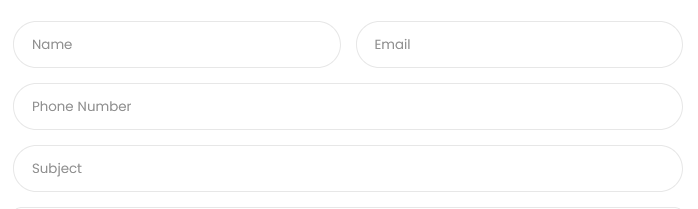
Form Fields :
Set text color, background and border color for textbox or textarea in your store.
Other Colors :
Set colors for several basic theme elements , such as borders, tooltip text & background, theme color, and links you create with text.