Want to add product countdown in Shopify to increase sales and create urgency? This step-by-step guide shows you how to set up a countdown timer using metafields and display it on product pages. By adding a countdown, you can highlight limited-time offers and encourage faster purchase decisions, improving your store’s conversion rate
Go to Store Admin –> Settings –> Metafields and metaobjects > Products
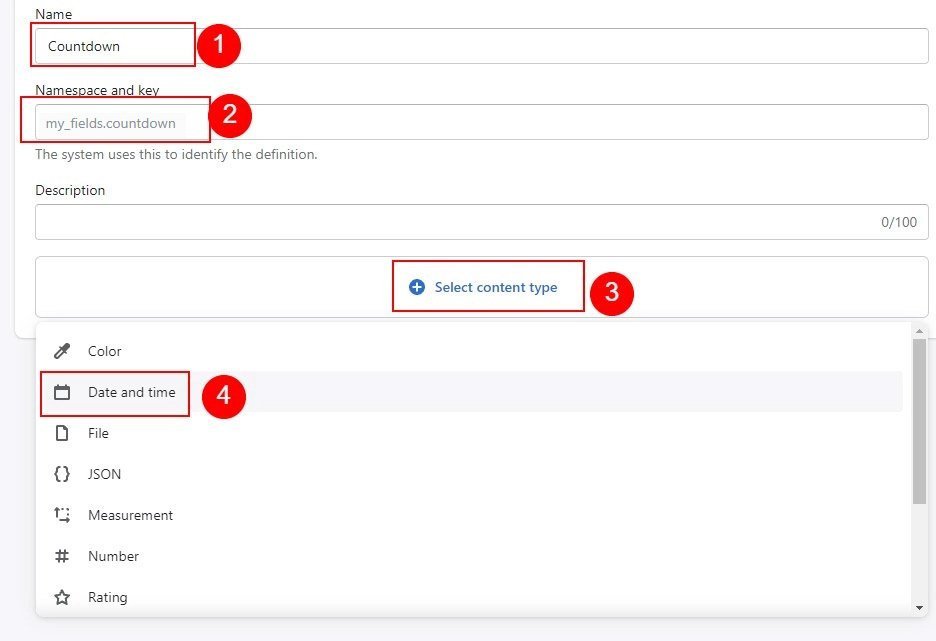
Click on “Add definition” and add data as below
Name: Countdown
Namespace and Key: my_fields.countdown (Must use this key)
Content type: Date and Time( Select Date )
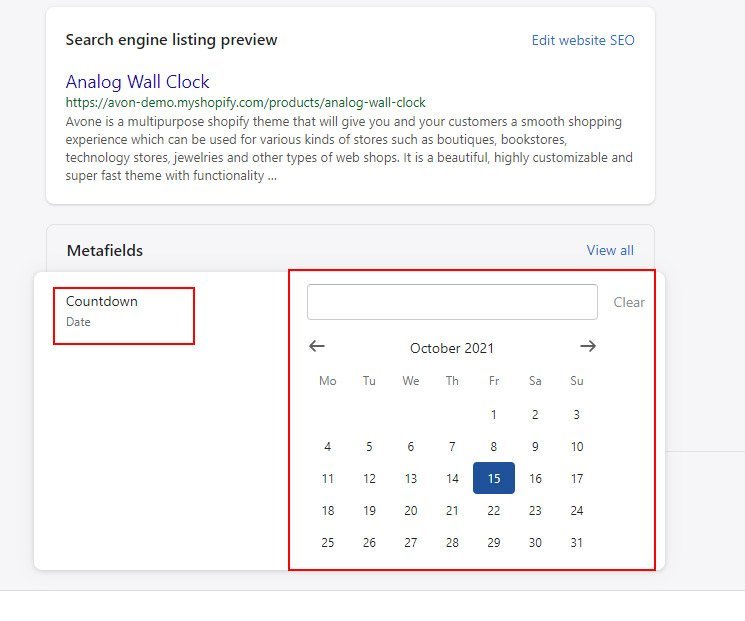
Now go to your products and Scroll down to “Metafields” and Select Date from Countdown field and click save.