Banner Images #
Display same banner image for all collections
Go to Theme Customize -> Collections -> Default collection -> Collection Banner(Section). Select image from Image field
Display different banner image for each collection
Step 1 :
Go to Store Admin -> Settings -> Metafields and metaobjects -> Collections > click "Add definition"
Follow the steps as shown in the image below.
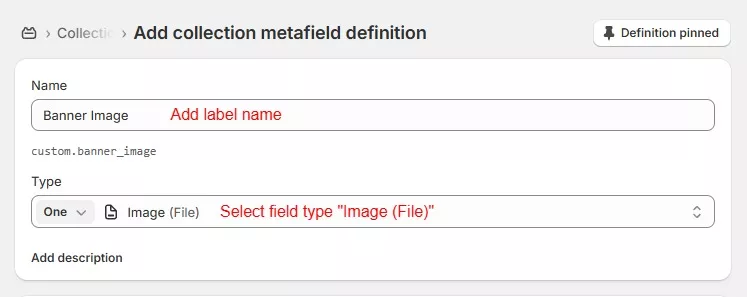
Step 2 : To add a collection image, navigate to the collections page in store admin
Go to store admin -> Products -> Collections -> Select collection ->
Scroll down to the Metafields block and add image to “Banner Image” field and click save.
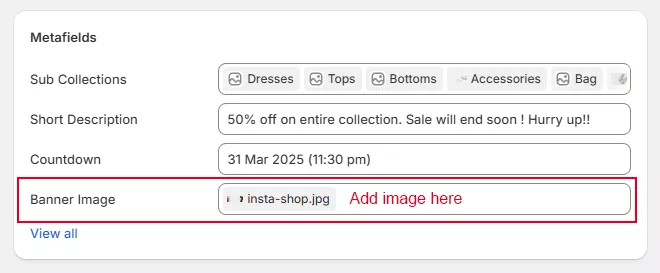
Follow the same steps for the mobile banner image if you’d like to show a different image for the mobile site.
Step 3 :
Now, go to Theme Customize -> Collections -> Default collection -> Collection Banner(Section).
Click on the “dynamic Source” button from Background Image field and select banner image
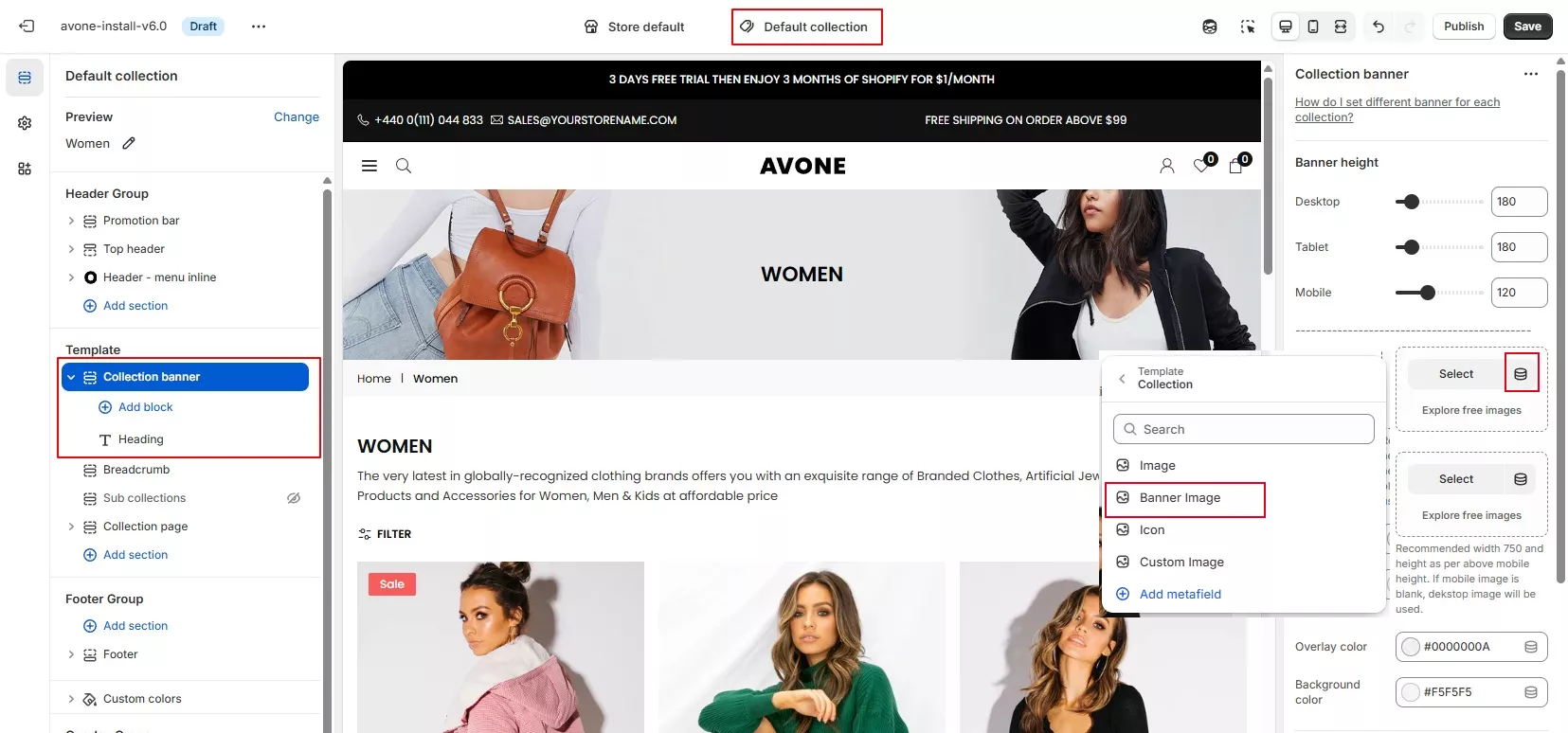
Select “image” if you’d like to show a collection image from collections else select banner image and click save.
Banner Description #
Display same banner text for all collections
Go to Theme Customize -> Collections -> Default collection -> Collection Banner(Section). -> Add "Text" block.
Add text in Text field and click save.
Display different banner text for each collection
Step 1:
Go to Store Admin -> Settings -> Metafields and metaobjects -> Collections > Add definition
Follow the steps as shown in the image below.
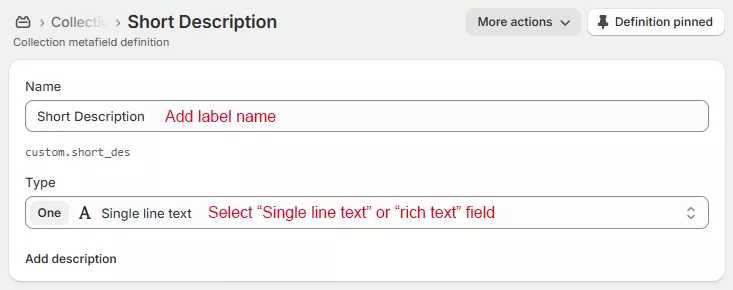
Step 2:
Go to store admin -> Products -> Collections -> Select collection
Scroll down to the metafield block and, add text in “Short Description” field and save page.
Step 3:
Now, go to Theme Customize -> Collections -> Default collection -> Collection Banner(Section) -> Add "Text" Block -> click “dynamic Source” button from text block, select "Short Description" and click save.
Countdown Timer #
Follow below steps to add countdown with collection banner.
Step 1:
Go to Store Admin -> Settings -> Metafields and metaobjects -> Collections > click “Add definition,” then follow the steps as shown in the image below.
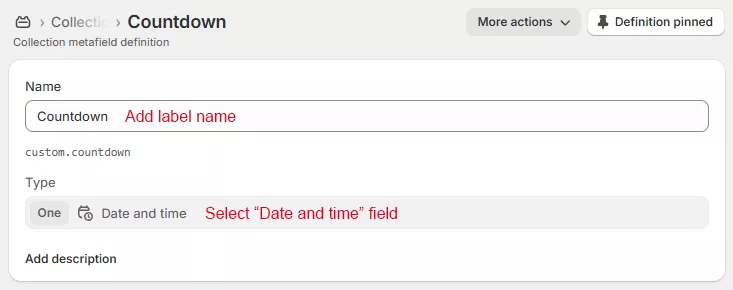
Step 2 : To select date and time, navigate to the collections.
Go to store admin -> Click “Products” -> Collections -> Select any collection -> scroll down to the “Countdown” metafield, select date and click save.Step 3:
Now, go to Theme Customize -> Collections -> Default collection -> Collection Banner(Section) -> Add “Coutndown” Block -> click “dynamic Source” button from Enter Date field, select “Countdown” and click save.