Offer your customers a bundle discount for product packages or kits (Frequently Bought Together).
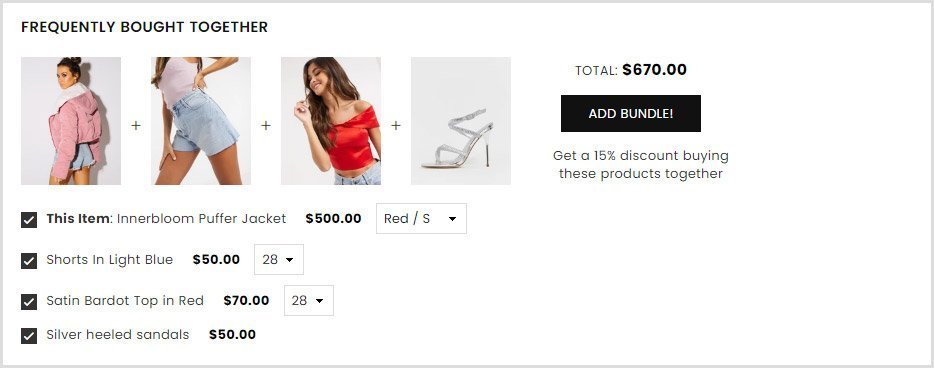
Theme version 6.x.x #
To offer bundled products and discounts, first you need to create a metafields and select all the products you want to offer bundled and discounted. ( You can add products that buyers should buy together.)
Step 1 :
From store admin > Settings > Metafields and metaobjects > Products > Add definition
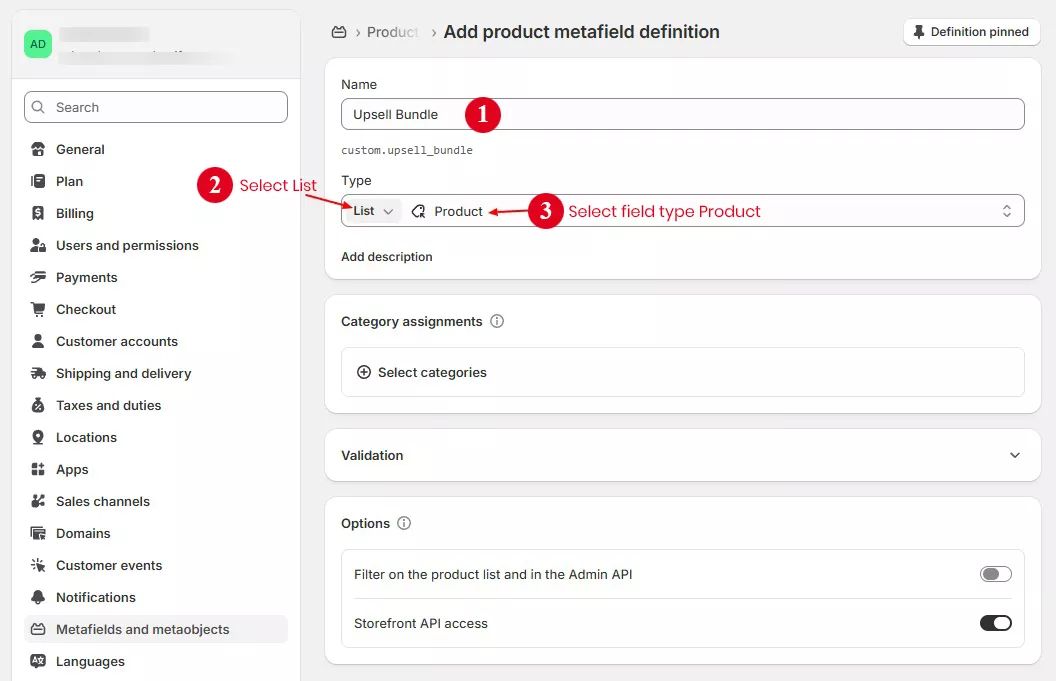
Step 2 :
Open product page in store admin and scroll page to product metafields section at bottom of page. Select related products and save page.
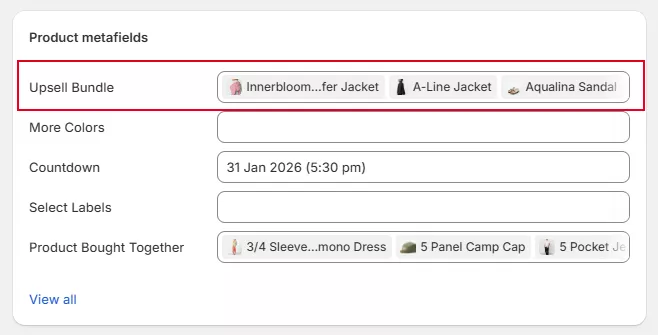
Step 3 :
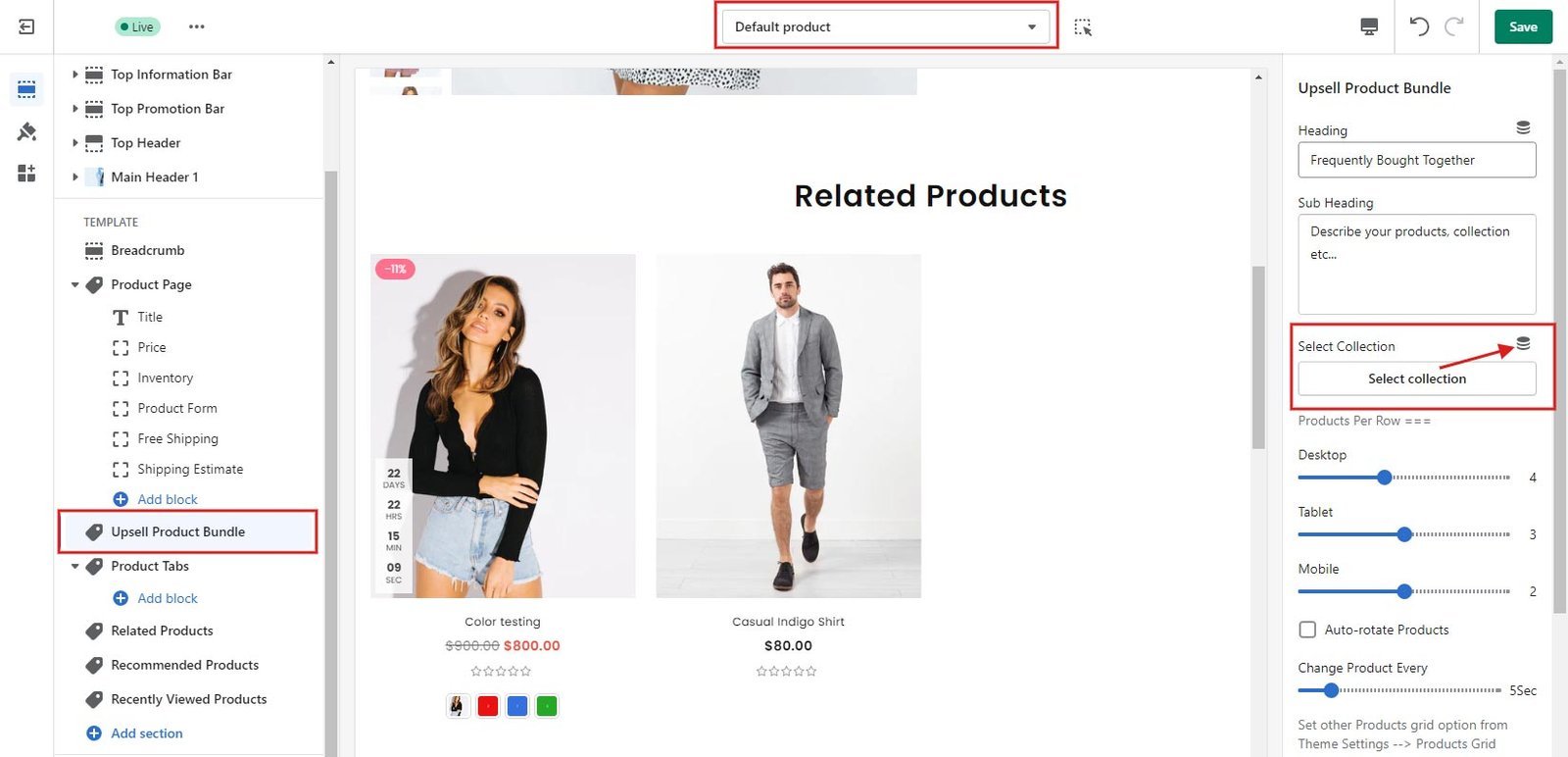
Now go theme editor and open product page > Go to Upsell product bundle section and select metafields value using dynamic source button.
Check image below for example.
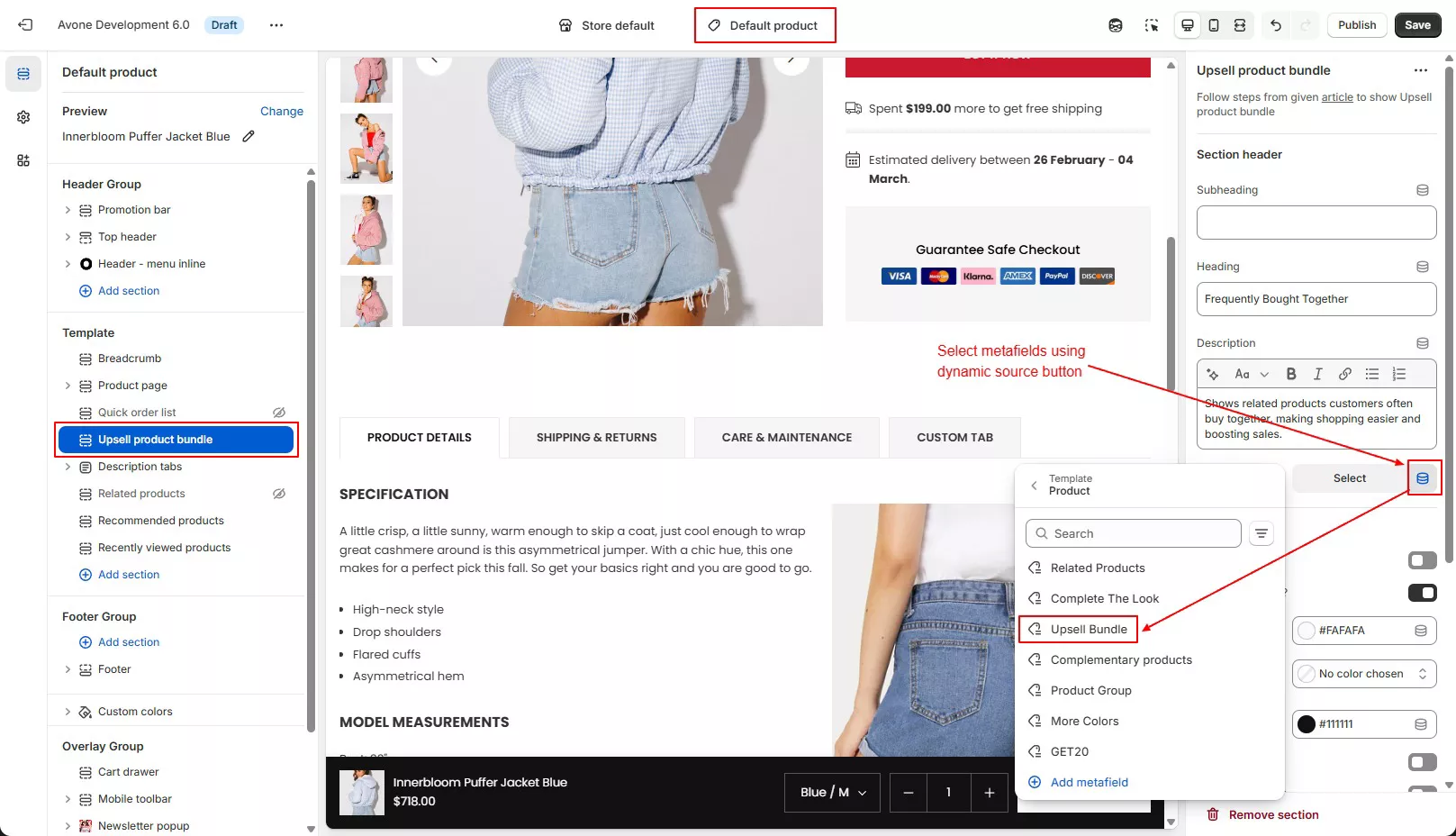
Save page after select metafields and section will be display in page. You can manage style and colors in same section.
Active discount #
Follow below steps to active discount for upsell products bundle. Discount will be apply in cart and checkout page.
Step 1
Now Go to store admin > Discounts > create a discount > Select discount type
You can select “Amount off products” or “Buy X get Y” discount type.
Step 2
Choose “Automatic discount” discount Method and setup as below example image
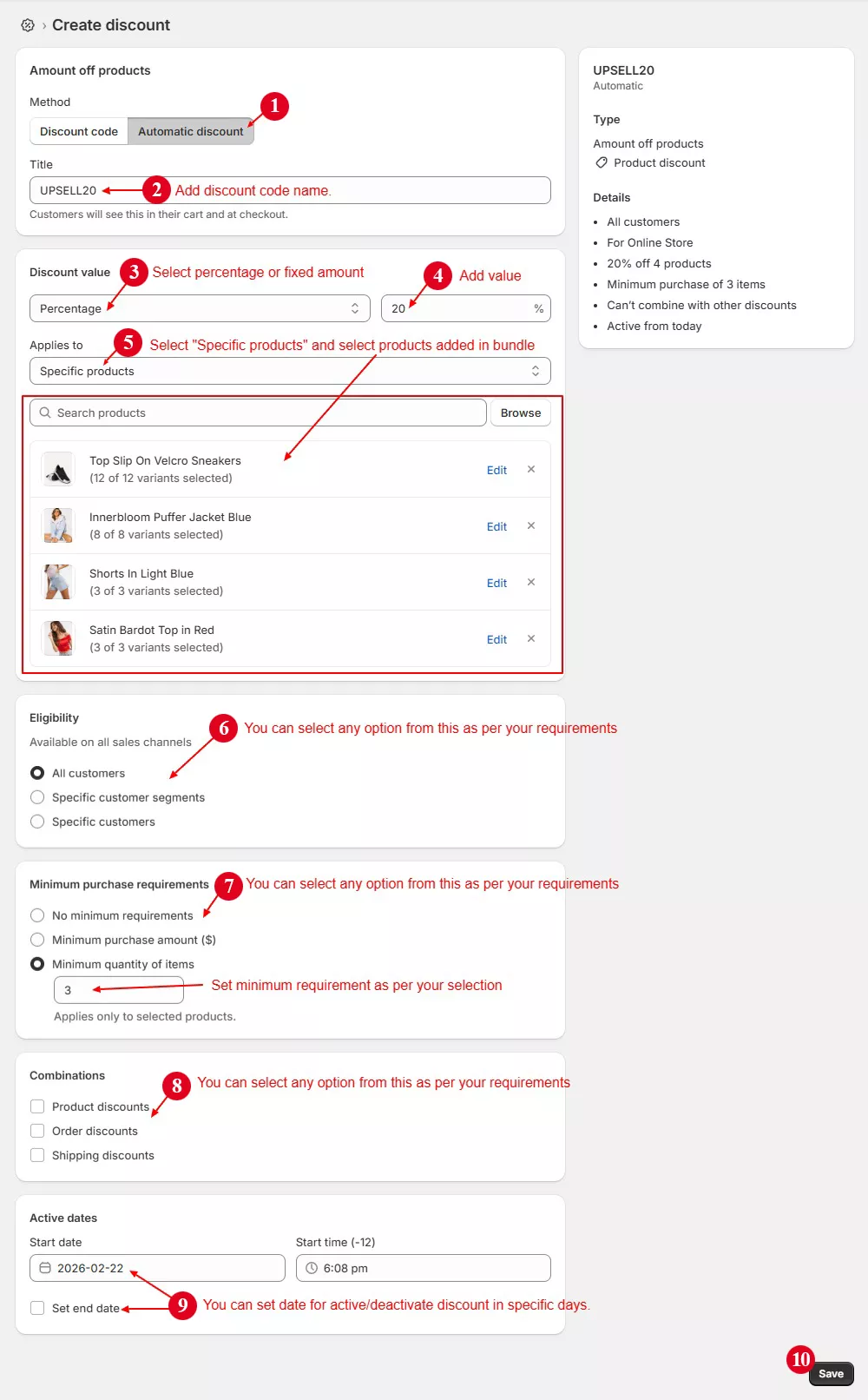
A discount code will be applied on the cart and checkout pages.
Theme version 5.x.x and below #
To offer bundled products and discounts, first you need to create a collection of all the products you want to offer bundled and discounted. ( You can add products that buyers should buy together.)
Step 1 :
From your shopify store admin -> Products -> Collections and Create collection.
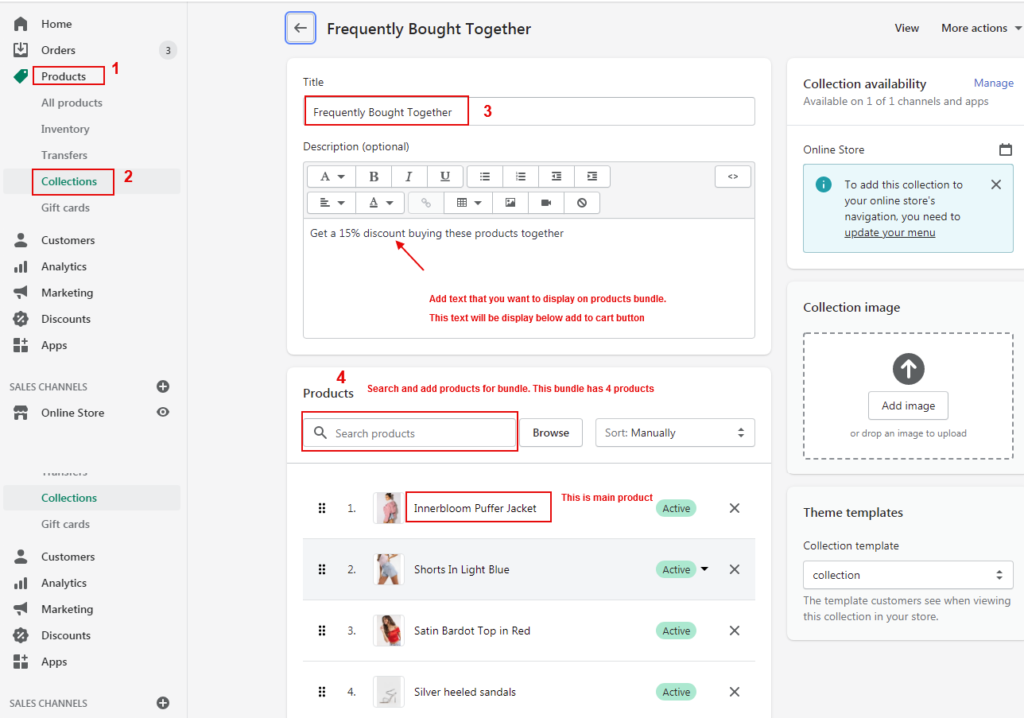
Step 2 :
From your store admin –> Click "Settings" -> Metafields and metaobjects -> Products –> Add Definition
Create metafield as shown in the below image.
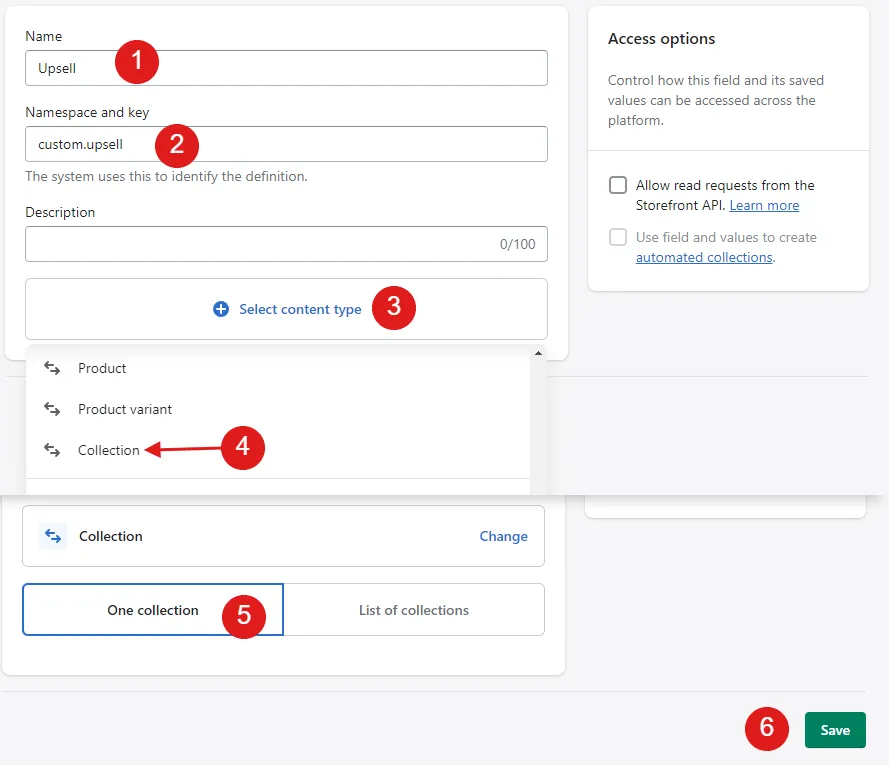
Step 3 :
Now go to your product and scroll down to “Metafields” and select the collection created in step 3 and save the page.
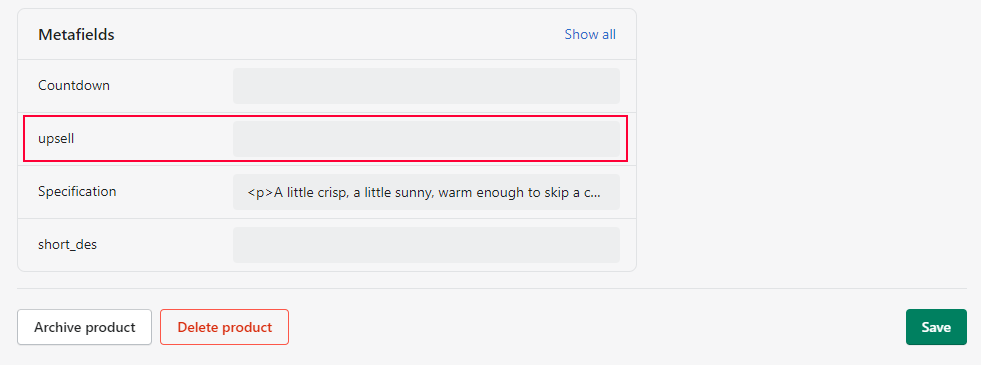
Step 4 :
Now, on the product page, open the “Upsell Product Bundle” section in theme customize and add the metafield collection to the “Select Collection” field as shown below.
Create discount #
Now Go to Discounts section in store admin to create a discount code that you want to offer for product bundles (a collection that you just created).
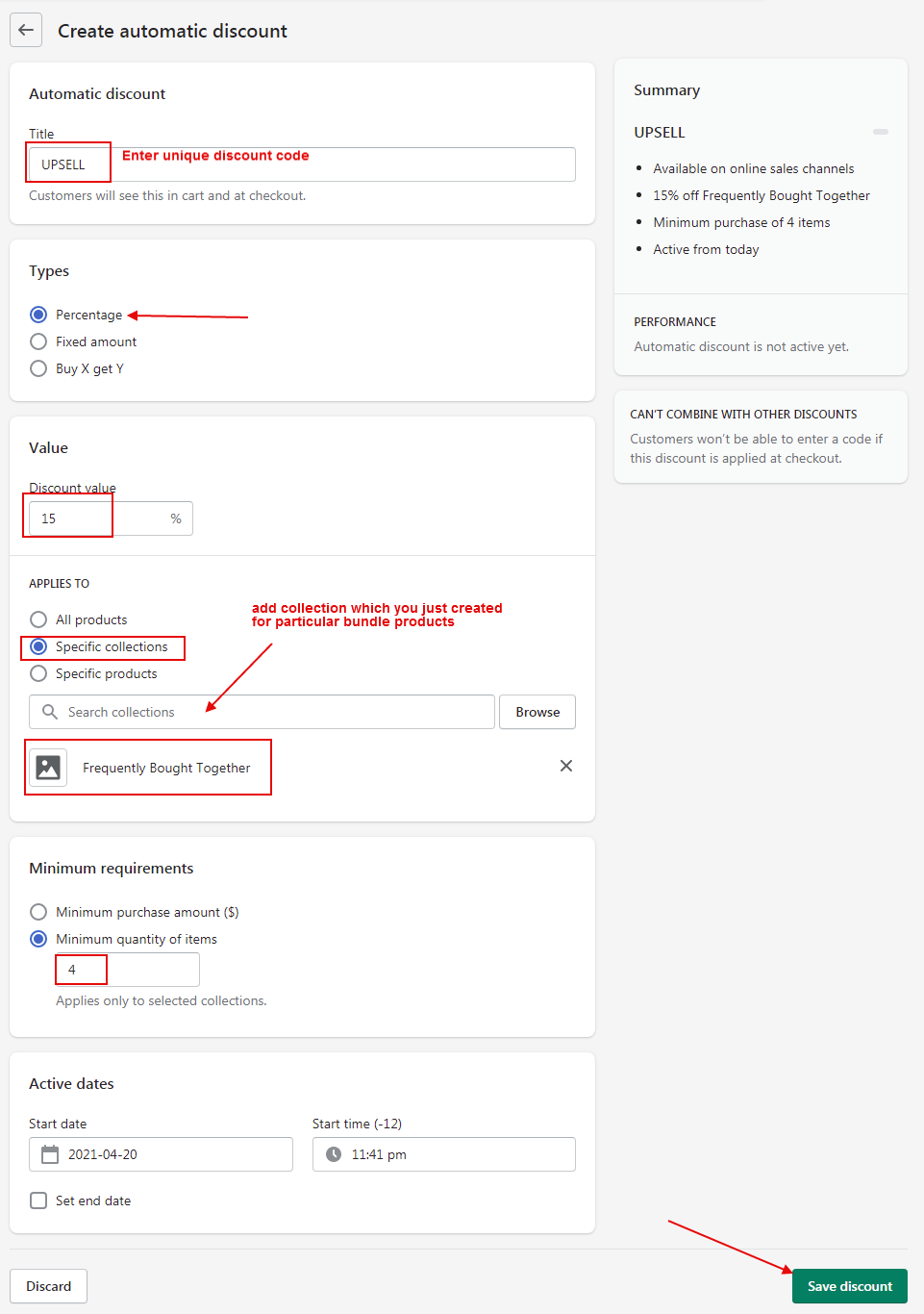
A discount code will be applied on the cart and checkout pages.