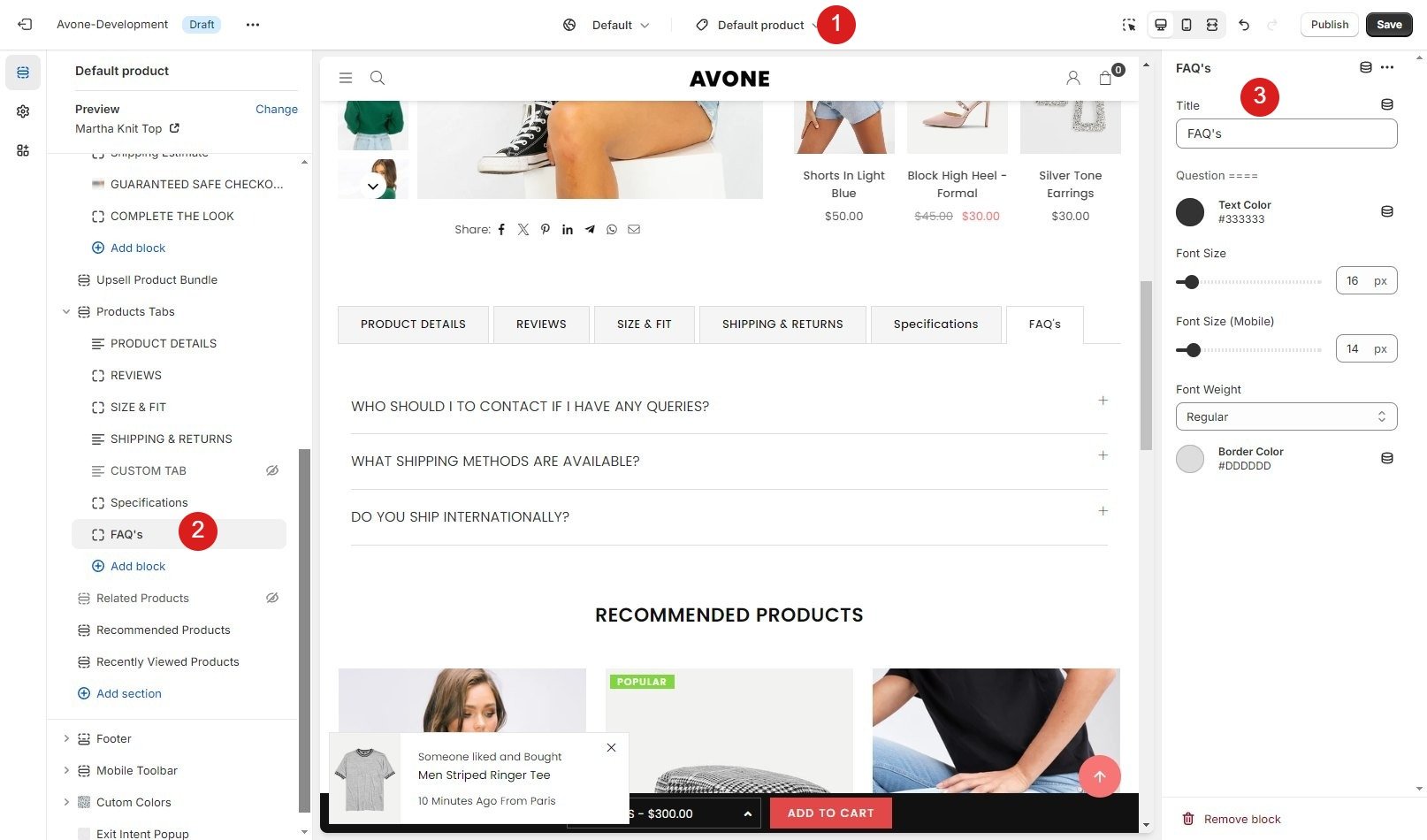
Display FAQs on product page is an effective way to improve customer experience and reduce repetitive support questions. By showing frequently asked questions directly on the product page, customers can quickly find answers about product features, shipping, returns, and usage before making a purchase. When you display FAQs on product page, it builds trust, improves clarity, and can significantly increase conversion rates by removing purchase doubts early in the buying journey.
Step 1 :
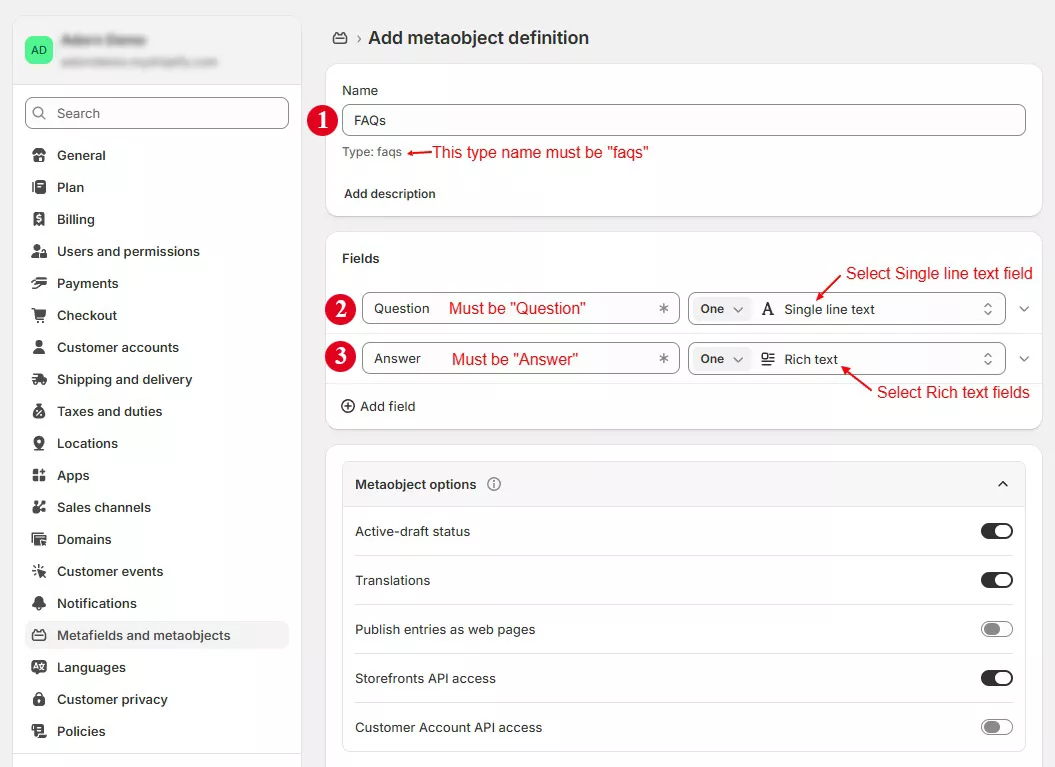
Go to Store Admin –> Content –> Metaobjects -> Click on “Add definition
Create a metaobject faqs and then add Question and Answer fields as below and save page.
Step 2:
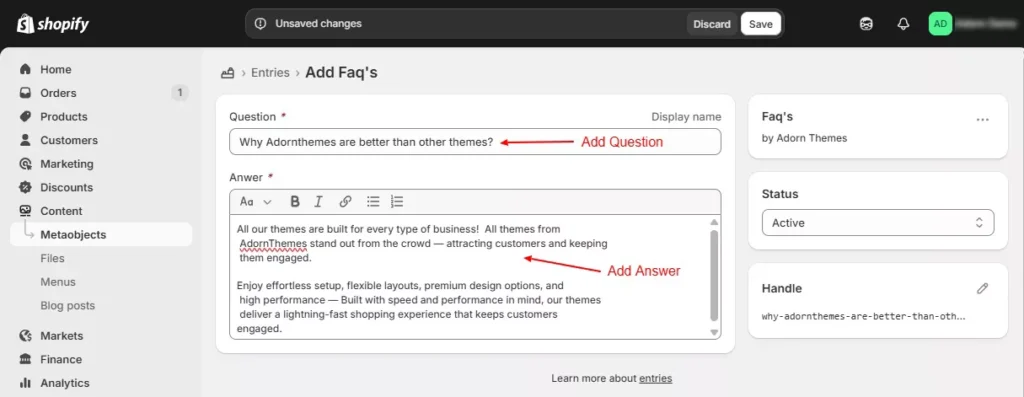
Click on “Add Entry” button on same page at top Or
Go to Store Admin –> Content –> Metaobjects -> FAQs > Add Entry
Enter your Question and Answer details as bellow. You can add many entry as needed.
Step 3:
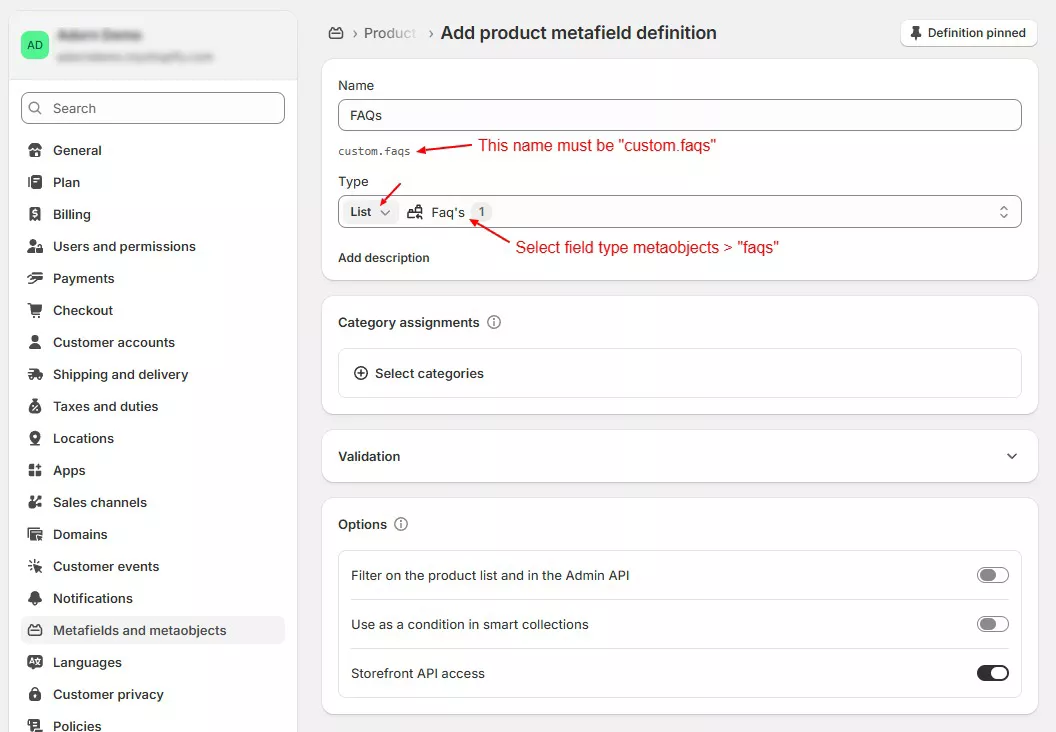
Now go to Metafields and metaobjects and create a metafield definition for metaobject Faqs created in steps 1.
Go to Store Admin –> Settings –> Metafields and metaobjects –> Click Products -> Click on “Add definition
Step 4:
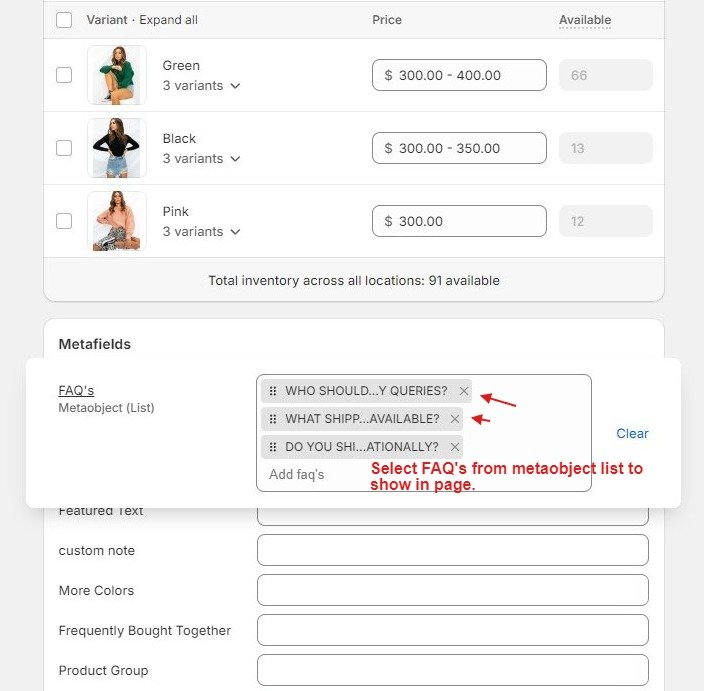
Please navigate to your products and scroll down to the metaobject list labeled “FAQs”. Select faqs and click save
Step 5 :
Now go to product page from theme customize, Click in Product Tabs section and Add block “FAQ’s” and click save.