To display images for mobile menu items effectively, follow this step-by-step guide. First, ensure you have the images ready and optimized for mobile viewing, ideally in like PNG formats with appropriate dimensions to maintain clarity without compromising load times.
Upload png file image. Image size should be 100x100px.
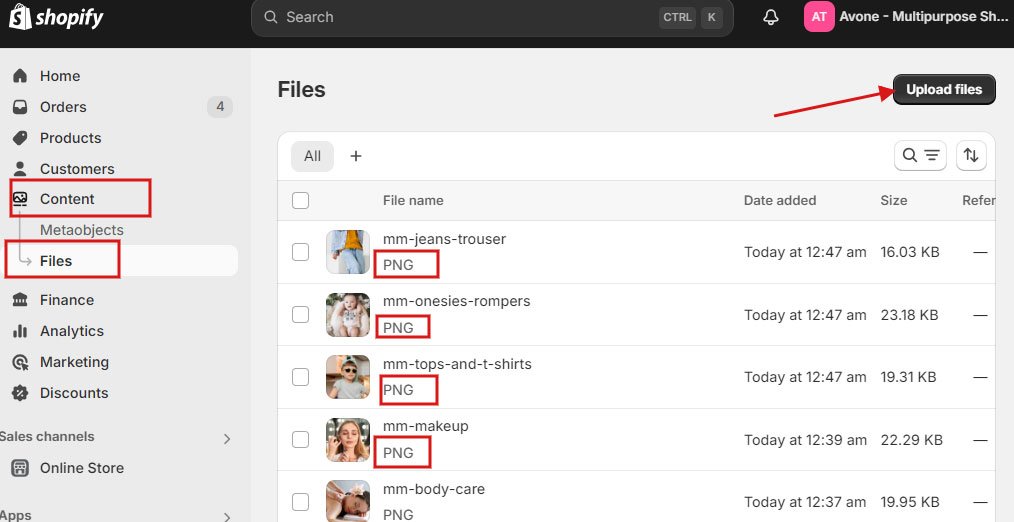
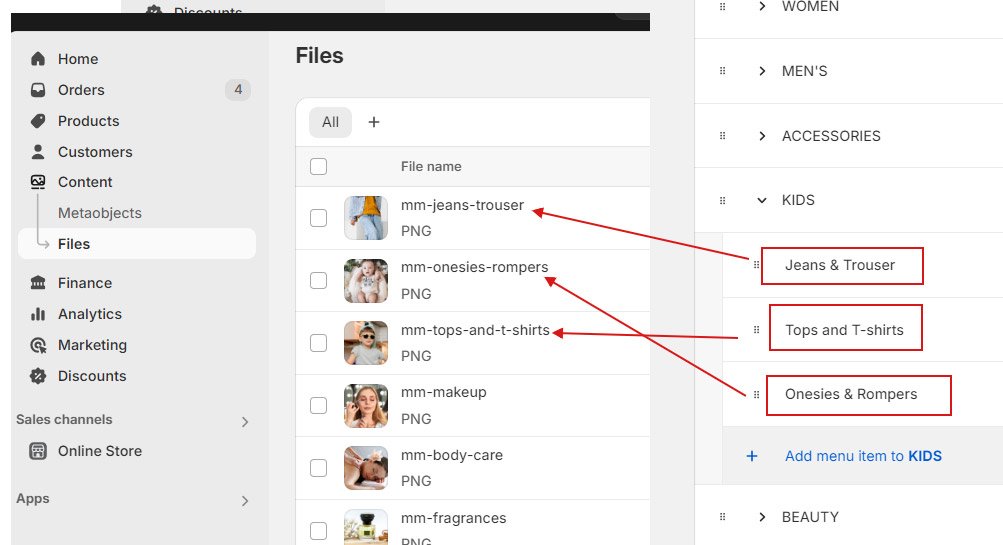
The image name must be in lowercase and correspond to the menu item, prefixed with the keyword mm-
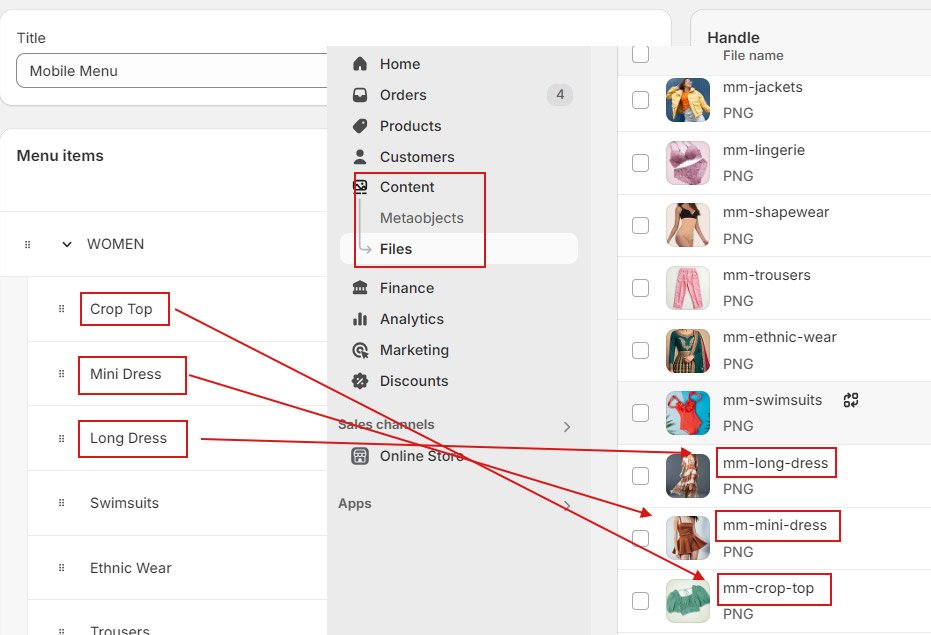
Use – ( dash) in place of space and (&).
Explore various demo stores to view live examples.


