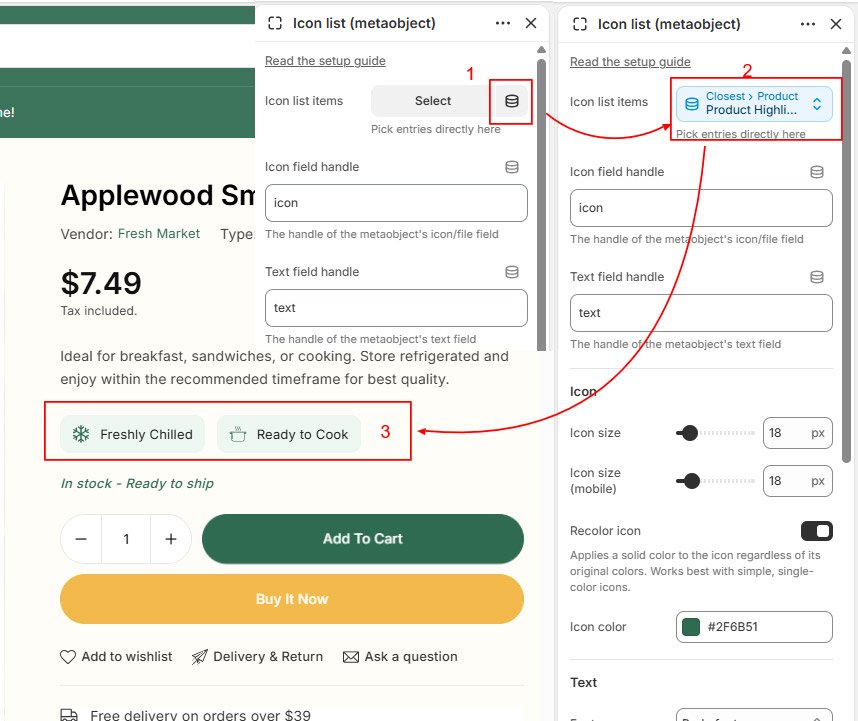
The Icon text list (Metaobject) block lets you display additional product information using icons and text. It’s perfect for highlighting features like:
- Free Shipping
- Premium Quality
- 30-Day Returns
- Secure Payment
- Vegan Friendly
- Handmade
Step 1: Create the Metaobject Definition
- In your Shopify admin, go to Content → Metaobjects → Click Add definition.
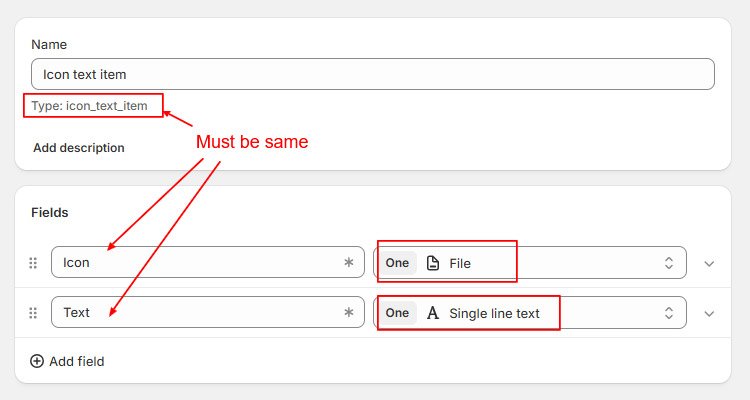
- Name should be Icon text item and Type must be icon_text_item
- Add two different field:
- Icon (File) – This field stores the icon image.
- Text (Single line text) – This field stores the text displayed beside the icon.
- Click Save after adding both fields.
Step 2: Create Metaobject Entries
Next, create the items that will be displayed on your product pages.
- Go to Content → Metaobjects → Open Icon text item.
- Click Add entry.
- Upload an icon, add text and click save.
Repeat step 2 for all the features you want to display. i.e Free Shipping, Vegan Friendly, Handmade, etc…
Step 3: Create a Product Metafield
Now create a metafield that will store the selected Metaobject entries for each product.
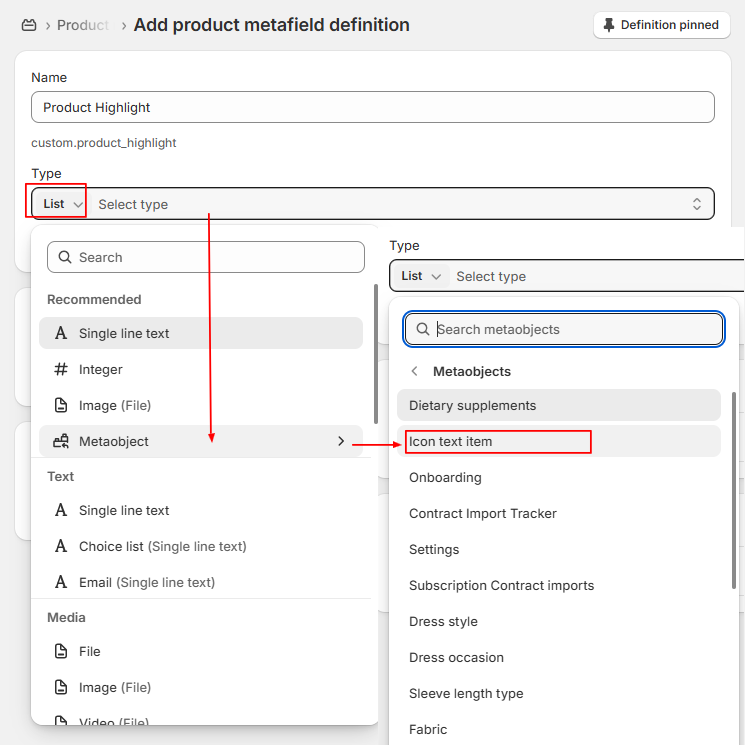
Go to Store Admin –> Settings –> Metafields and metaobjects –> Products > Add definition
Configure the metafield as follows:
| Setting | Value |
| Name | Product Highlight |
| Namespace and key | custom.product_highlight (or any namespace) |
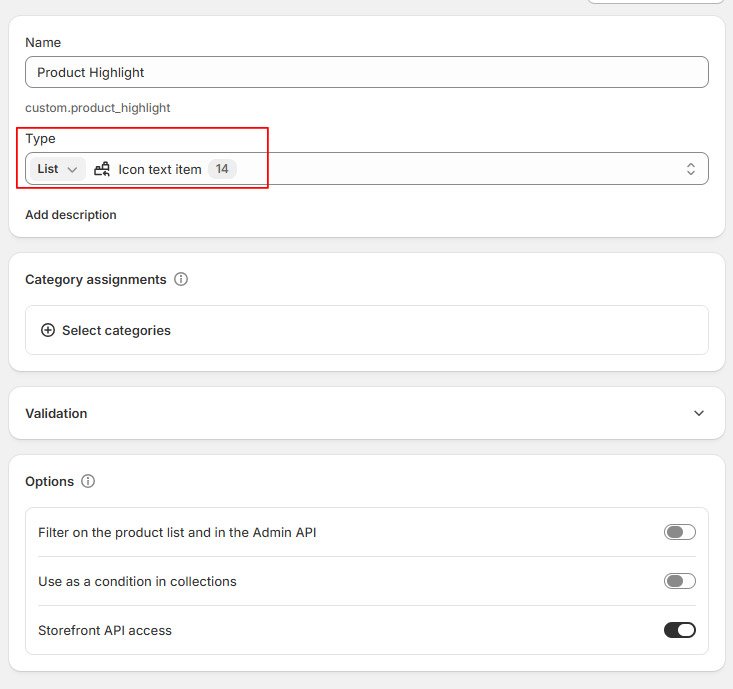
| Type | List of Metaobjects |
| Metaobject Definition | Icon Text Item |
Step 4: Assign Features to a Product – Metaobject entries created in step 2
- Select any product.
- Scroll to the Metafields section at the bottom of the page.
- Locate Product Highlight and click to select entries.
- Choose the Metaobject entries you want to display. Save the product.
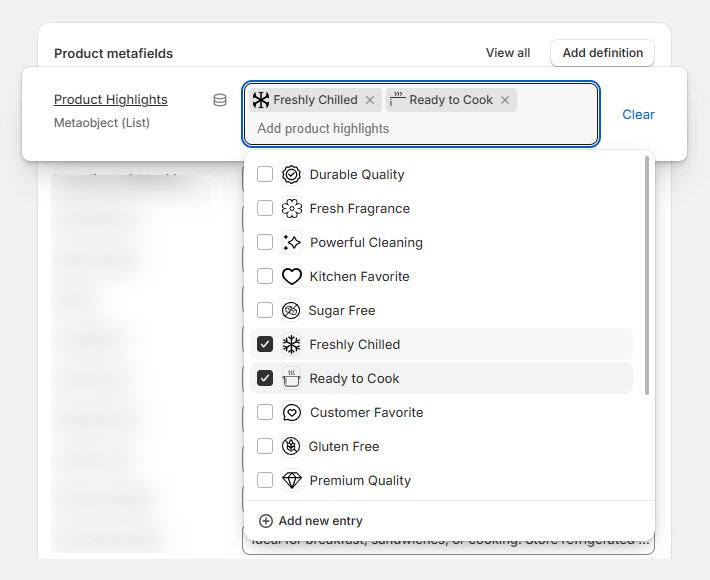
Step 5: Add the Icon text list block on product page
Go to your online store -> click customize -> Open product page -> Click Product page section
Click Add block. Select Icon text list (metaobject) block.
From the Icon list items, click on icon to connect dynamic source and select Product Highlight