Display product specification tab on product page helps customers quickly understand important product details like size, material, and features, improving their shopping experience and boosting conversions.
Please follow steps below to display product specification tab on product page.
Step 1 :
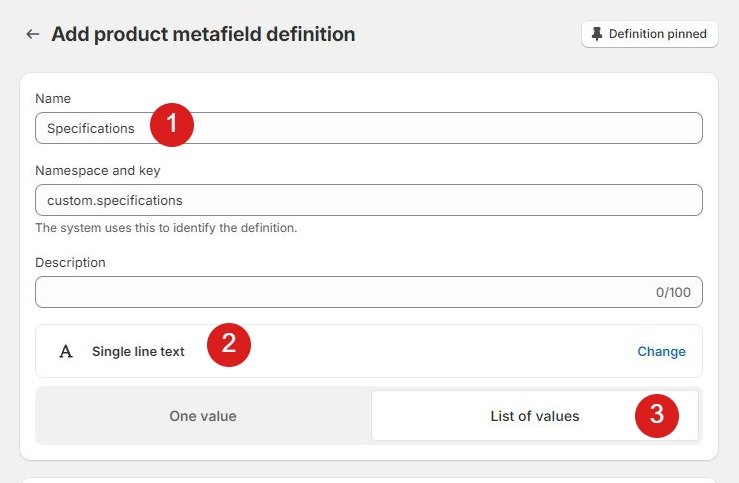
Go to Store Admin –> Settings –> Metafields and metaobjects –> Click Products -> Click on “Add definition
Add product definition as below
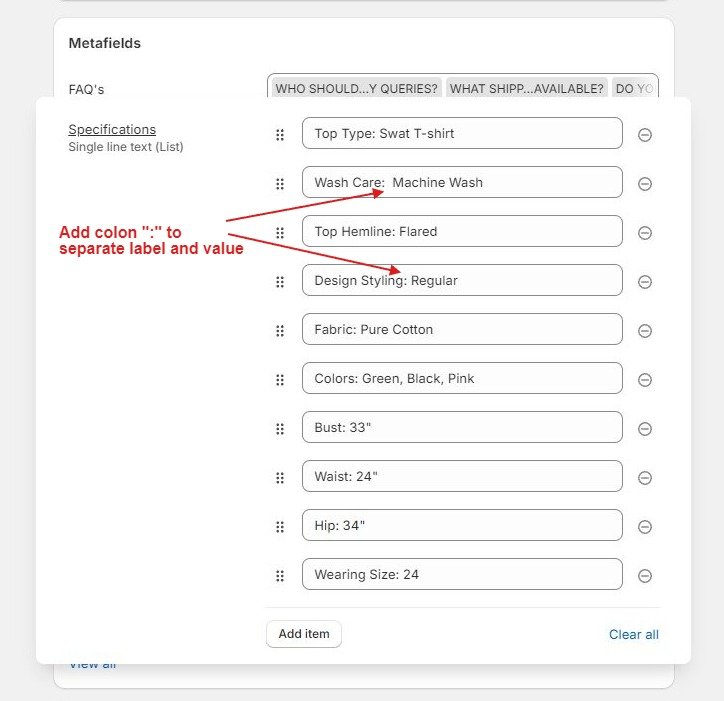
Step 2 : Please navigate to your products and scroll down to the metafield labeled “Specifications.”
Add the text as illustrated in the screenshot provided below
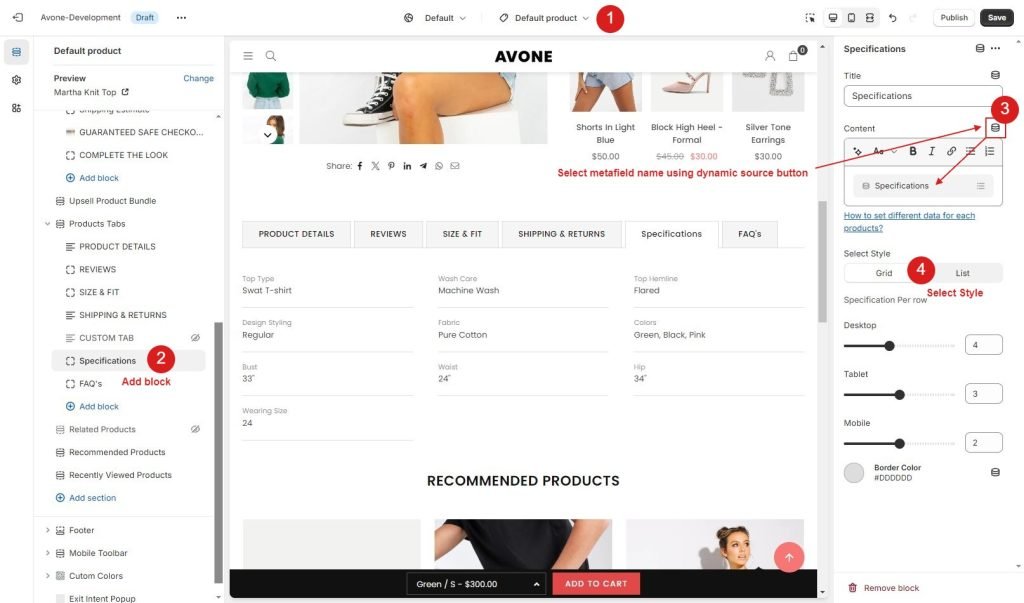
Step 3 : Now go to product page from theme customize, Click in Product Tabs section and Add block “Specifications”.
Select dynamic source from content and click save.