To show only selected variant images in Shopify, follow these professional steps:
Step 1 :
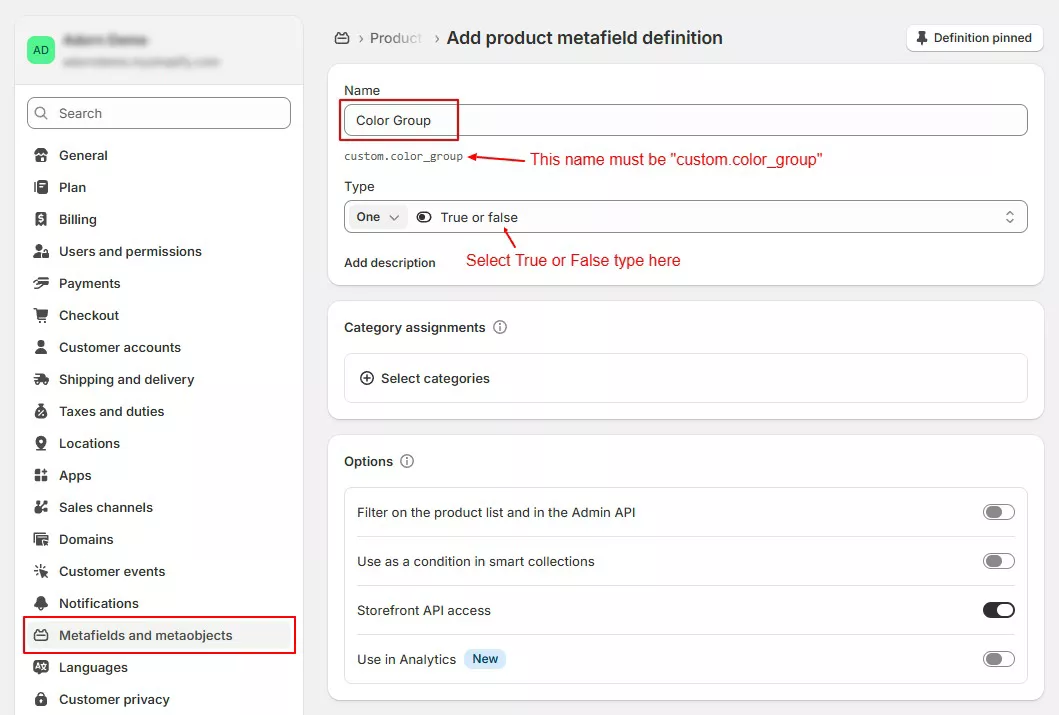
Go to Store Admin –> Settings –> Metafields and metaobjects –> Click Products -> Click on “Add definition
Add product definition as below and click save
Step 2 :
Now go to products -> select product -> scroll down to metafields ” Color Group”. Select True and click save
Step 3 :
Now click on product images one bye one and add color name as Image Alt text and click save.

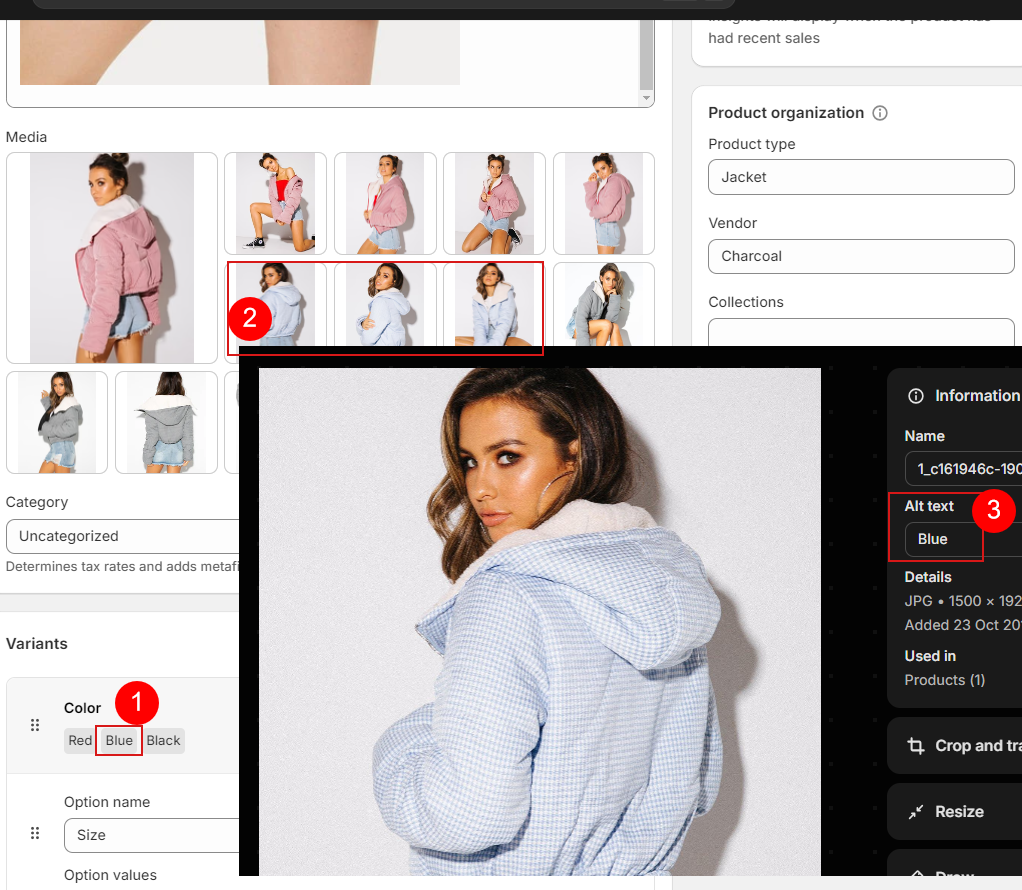
Now you can see product variant gallery on product page. See example page.