Please follow steps below to display product specification tab on product detail page.
Step 1 :
Go to Store Admin –> Settings –> Metafields and metaobjects –> Click Products -> Click on “Add definition
Add product definition as below
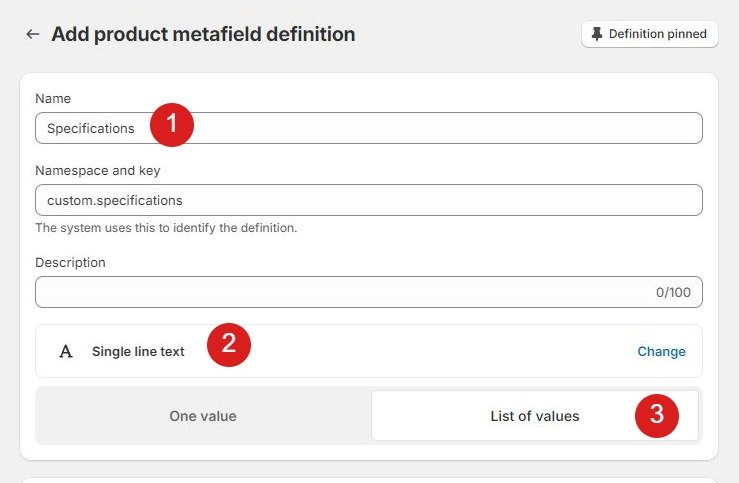
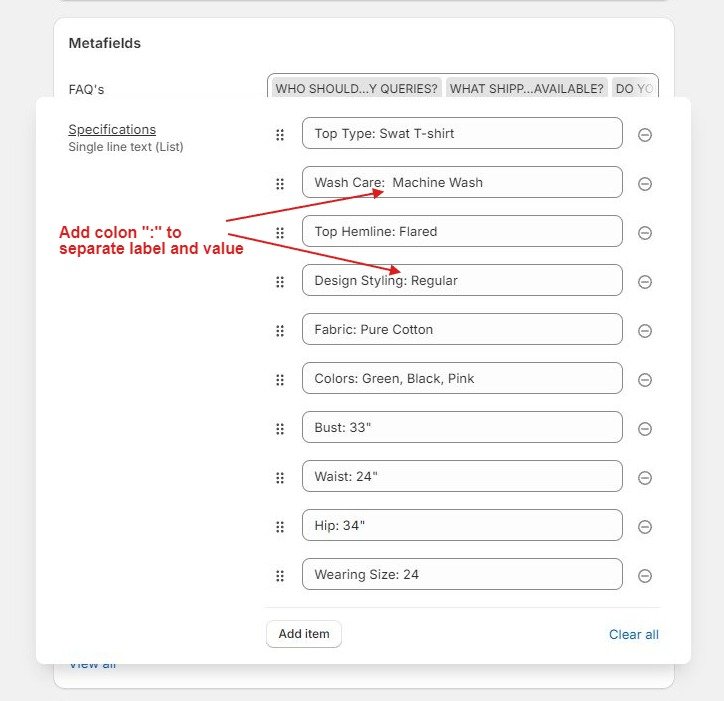
Step 2 : Please navigate to your products and scroll down to the metafield labeled “Specifications.”
Add the text as illustrated in the screenshot provided below
Step 3 : Now go to product page from theme customize, Click in Product Tabs section and Add block “Specifications”.
Select dynamic source from content and click save.
