
Dynamic badges/Labels option added in Avone version 6.x.x. For older version 5.x.x or below theme support tags based options only.
Dynamic option #
Step 1:
Go to Store Admin –> Content–> Metaobjects –> Click on “Add definition
Add metaobject definition as below example.
- Set name “Product Labels“. Type name must be “product_labels”
- Add field and set name “Label” and select field type “Single line text“
- Add another field, set name “Text Color” and select field type “Color“
- Add another field, set name “Background” and select field type “Color“
Make sure field name must be same.
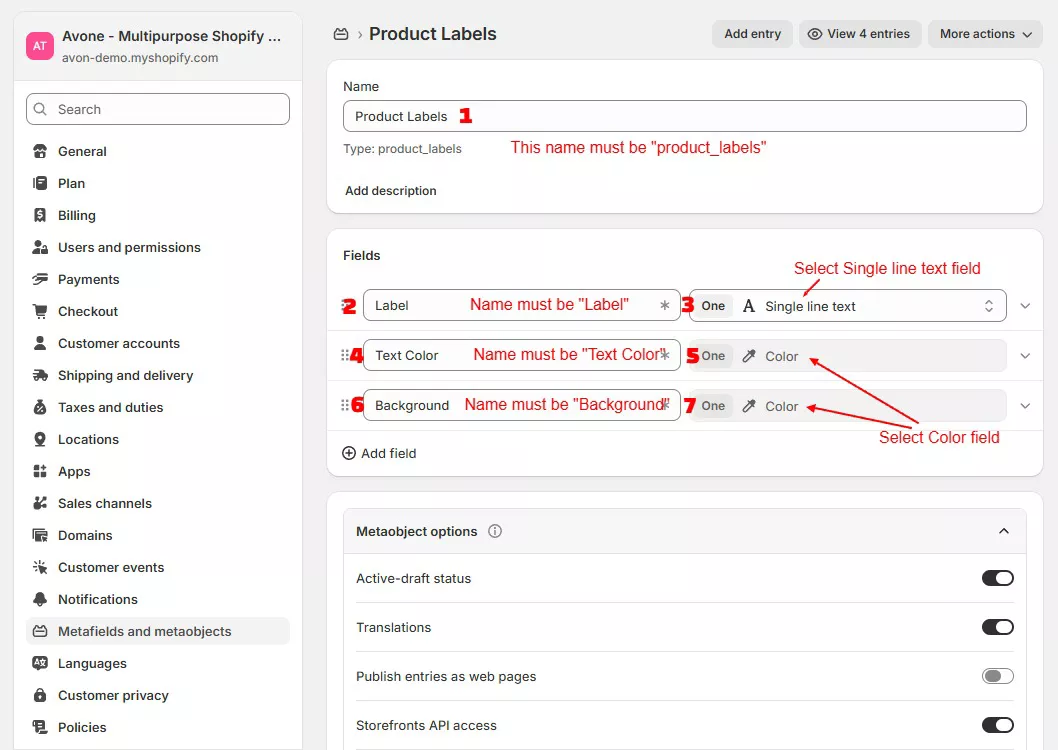
Once you done adding all three fields, click on save button to save metaobject.
Step 2 :
On same page you will find Add entry button to add label entry, Or go to content > metaobjects > Click on “Product Labels” > Add entry and add labels as reference below.
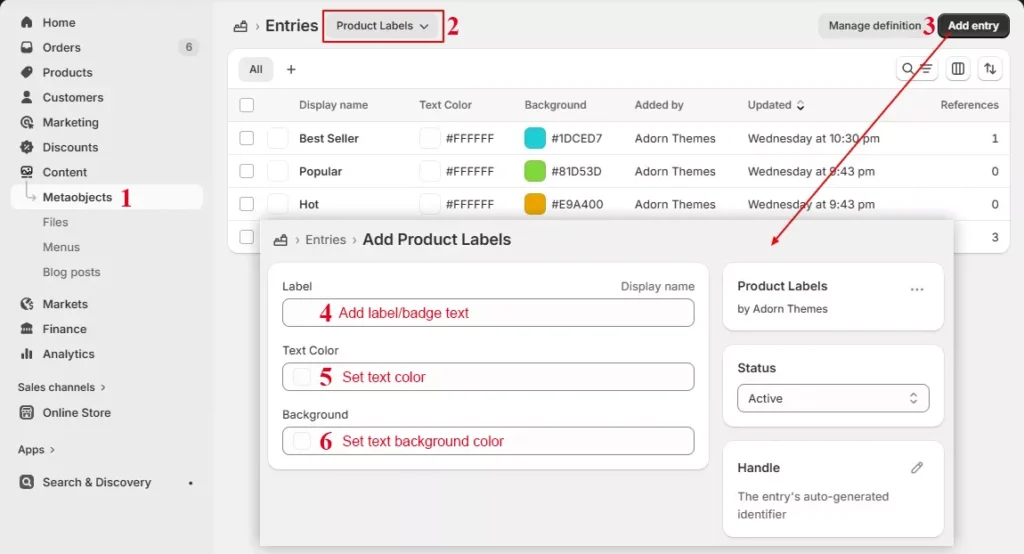
Add all badge(labels) you want to display on products. I.e. Best seller, Trending, Limited stock, Popular, New etc….
Step 3 :
Go to Store Admin –> Settings–> Metafields and metaobjects–> Products -> Click on Add definition
Add definition as below. Make sure Namespace and key must be “custom.select_labels“
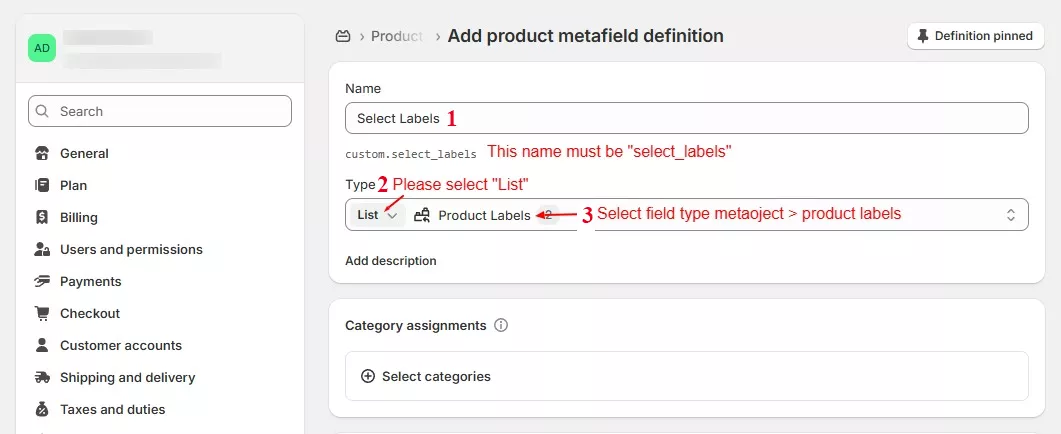
Step 4 :
Now go to products, select product need to set badge/label, scroll down to product Metafields section and select entry from Select Labels field. You can select one or multiple labels.
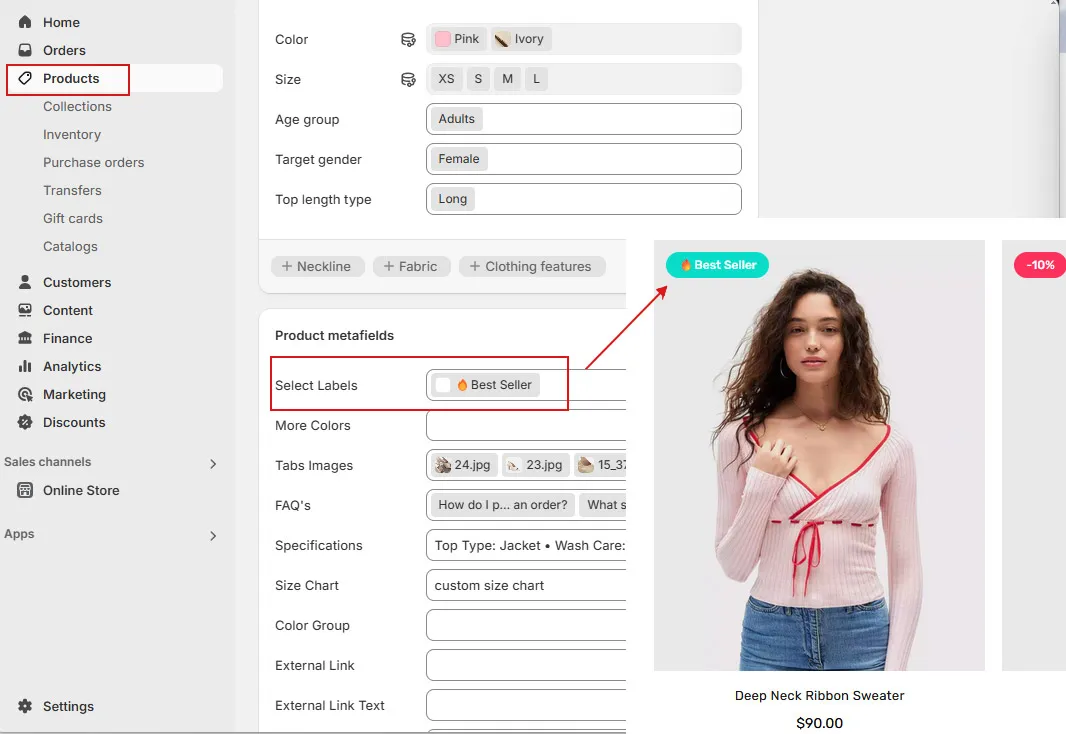
Click “Save” to view the desired labels on the products
Tags based option #
Step 1:
Go to Online Store -> Customize -> Theme Settings – > Products Grid
Step 2:
Scroll Down to “Product Labels”. Here you can set sale and three custom labels for your products.

Add label names you like to show on products.
Step 3:
Go to Products, select the product you want to label, and add label text as a product tag. I.e., if you want to show the label “Best Seller,” then set the same text to the label and add product tag with the same name ‘Best Seller.’
