Follow our instructions on this article to get your own Instagram access token and paste it on Instagram section. You will need: A Facebook account and An Instagram account with photos
Token is valid for 60 days and after that You will need to regenerate your access token manually.
Step 1:
Go to developers.facebook.com and login with your Facebook account. Now click on “My Apps” link >> “Create App”

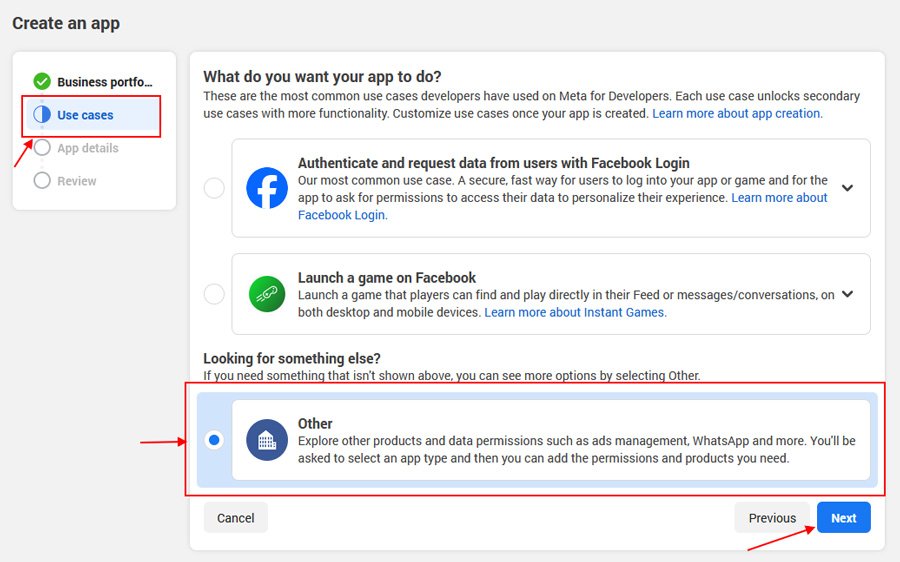
On “Create an App ID” popup, click Use cases option and select Other option as shown below and click Next.
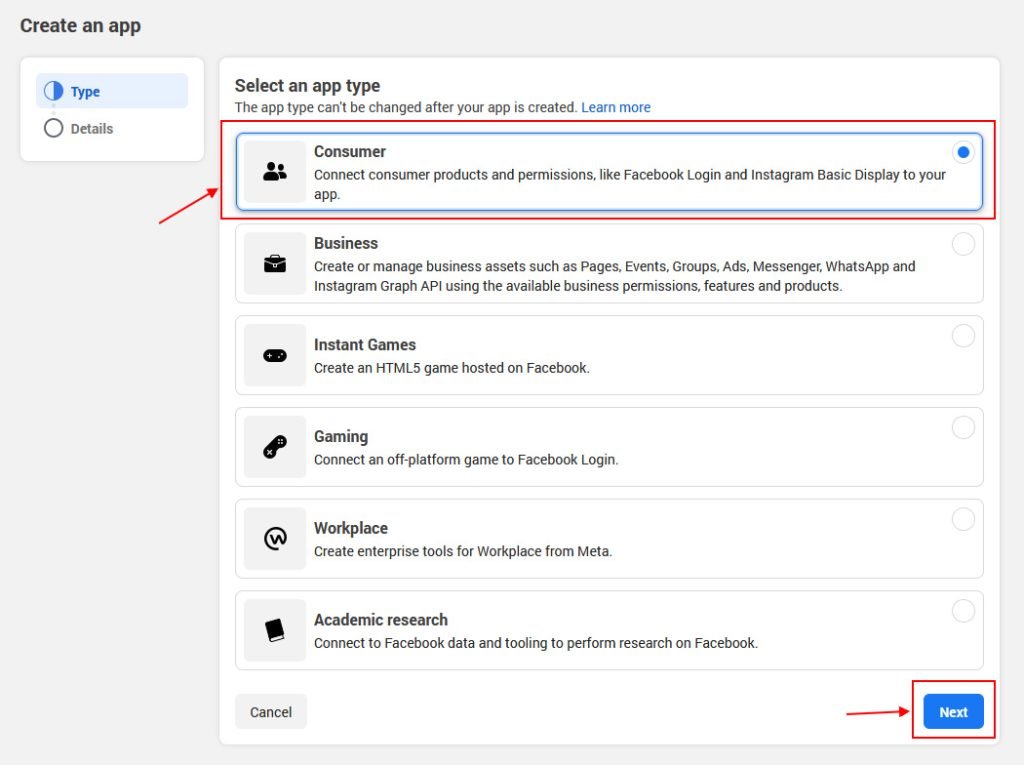
Select an app type -> Consumer and click Next.
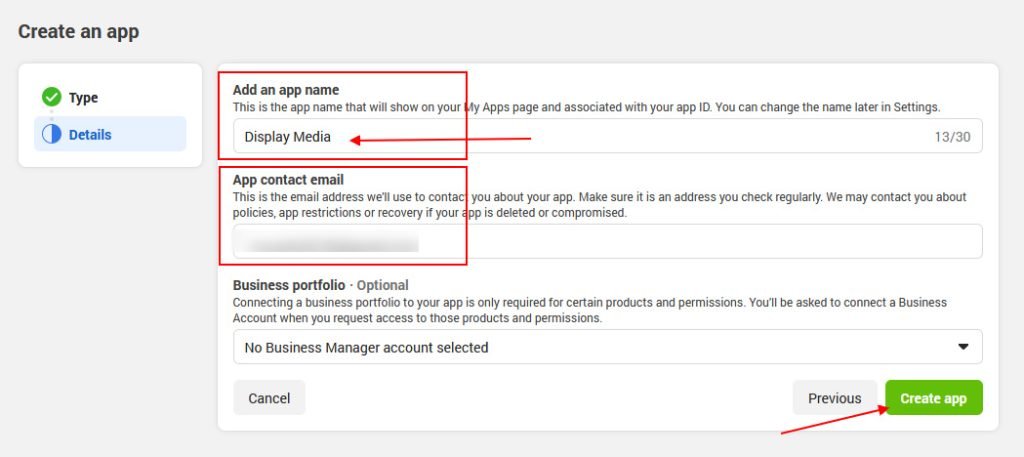
Enter your App name, email contact, and Business portfolio (optional) and click “Create App“
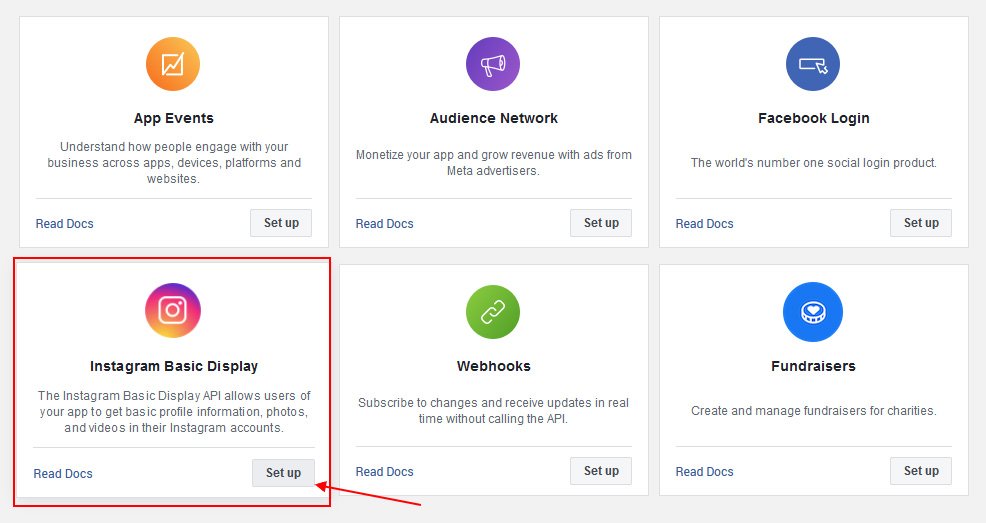
Select Instagram Basic Display and click Set up
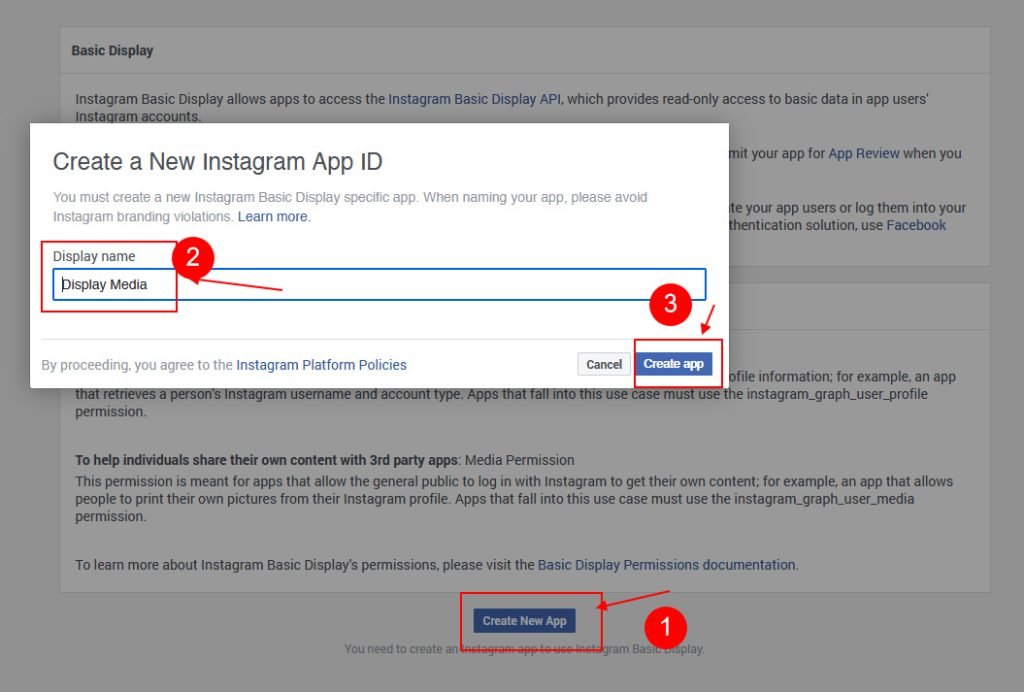
Click on Create new app -> Create app
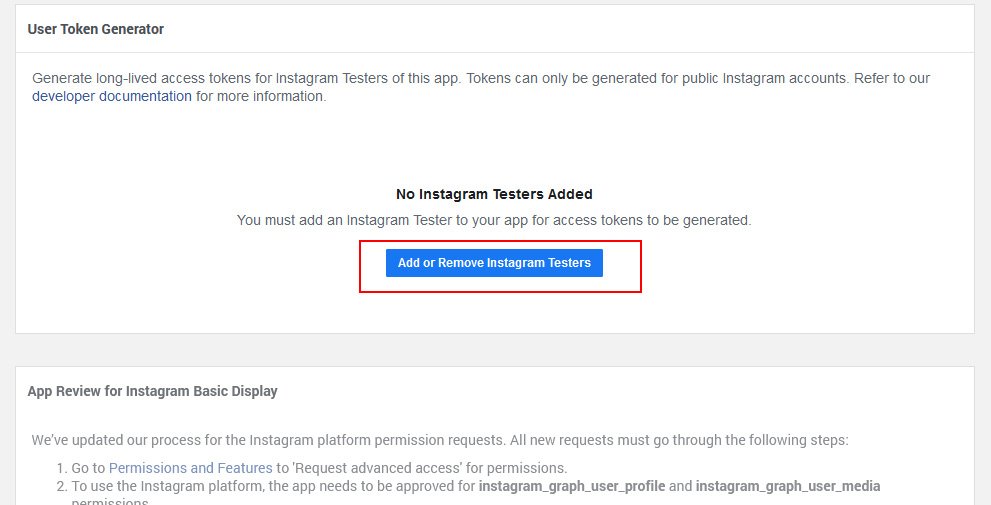
Now add an Instagram Test user, Scroll down to Add or Remove Instagram Testers button and click to create a tester.
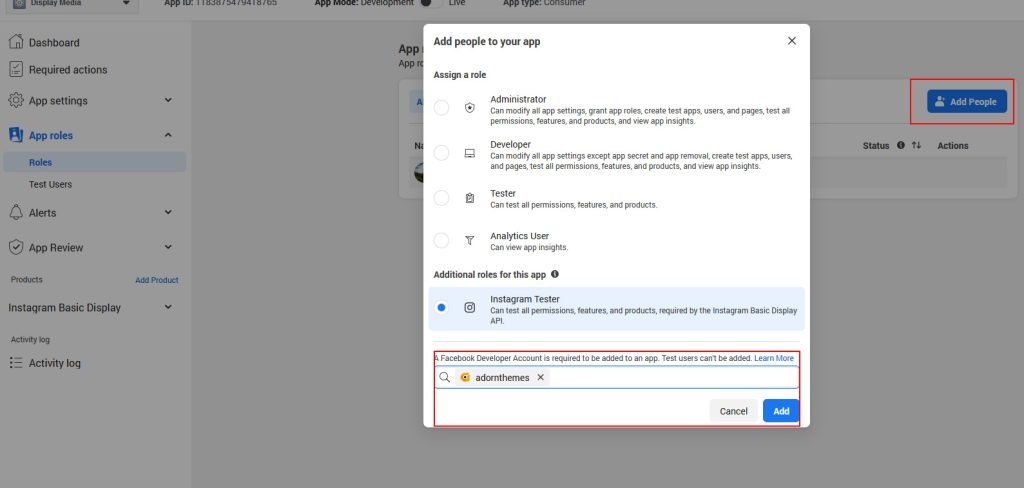
click on “Add People” button and add Instagram username of a person you want to set as a tester. You can add your own Instagram username.
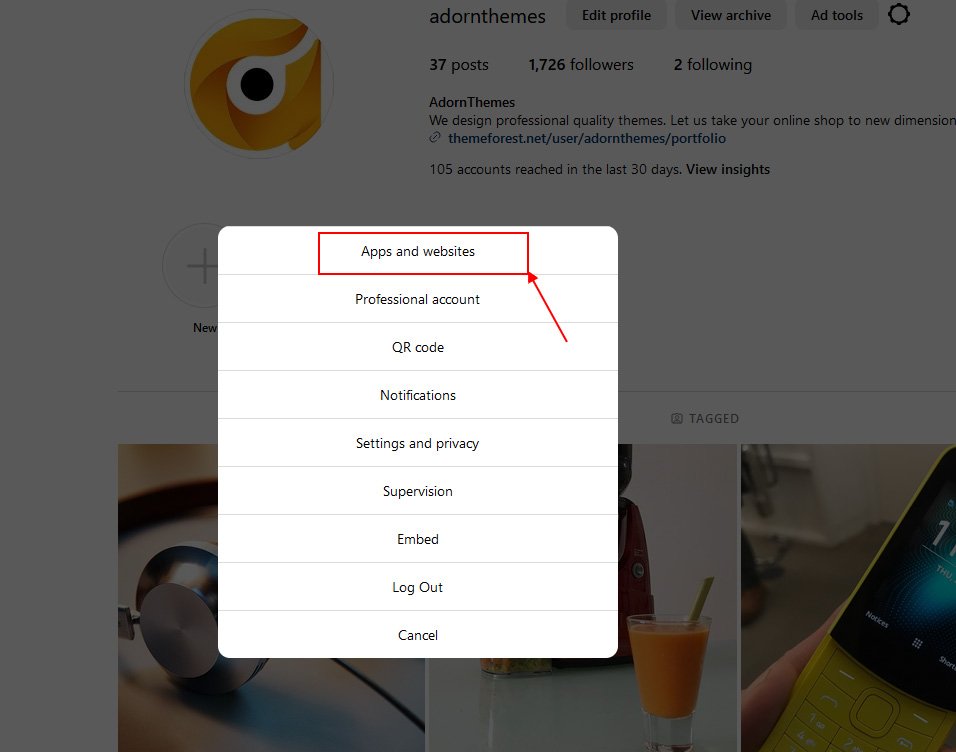
Now open a new web browser and go to www.instagram.com and sign in to your Instagram account that you just invited. Navigate to (Profile Icon) > Click on the cogwheel icon next to “Edit Profile” button –> Apps and Websites –> Tester Invites and accept the invitation.
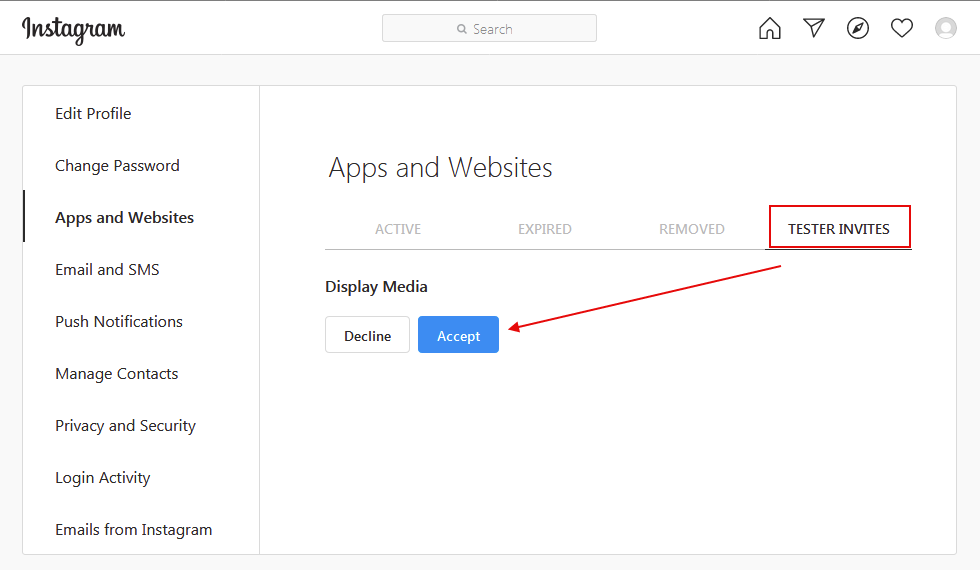
Your Instagram account is now eligible to be accessed by your Facebook app while it is in Development Mode. Return it to your Facebook Developers dashboard
Generate Access Token for Test User
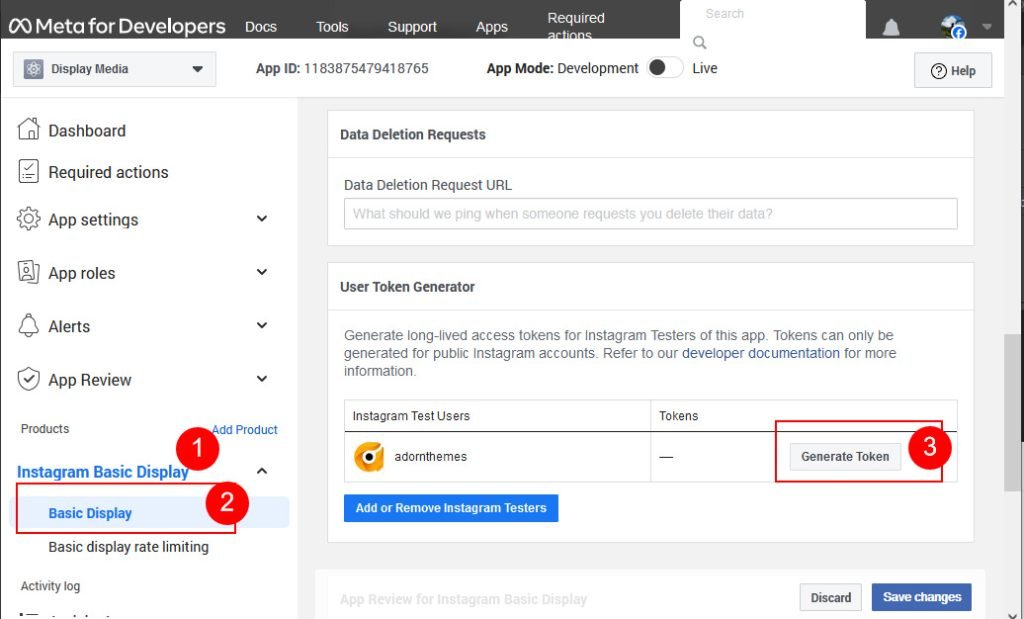
Click On Instagram Basic Display –> Basic Display and scroll down to User Token Generator section. Click on “Generate Token” button.
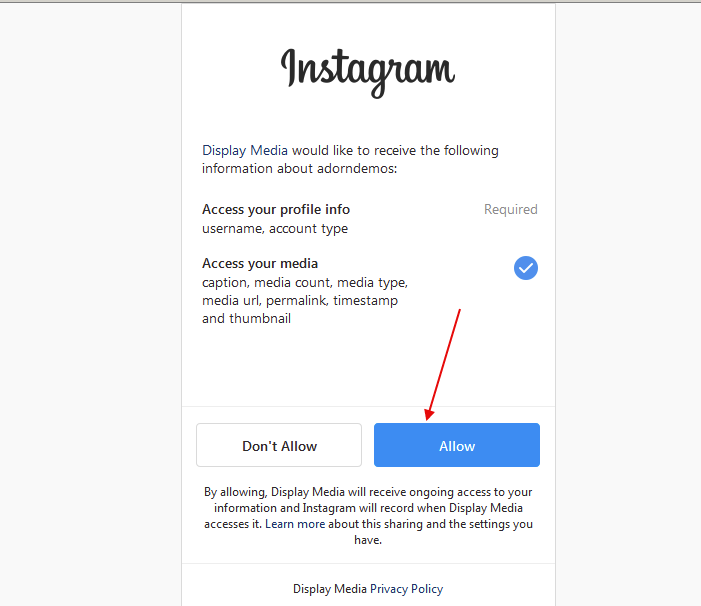
Log in with your Instagram account. Allow the app to access your Instagram account data.
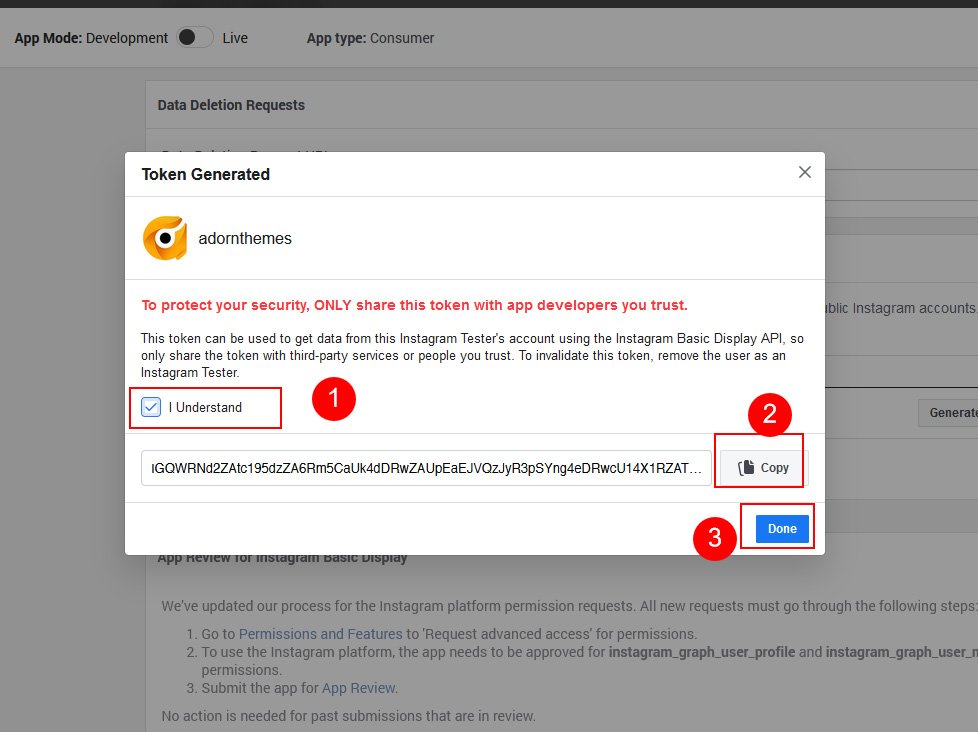
Click on “I understand” checkbox then copy your Instagram Access Token.
Paste your Instagram Access Token on Instagram Home page section.


